70
Polaroid t737 Digital Camera User Guide
www.polaroid.com
71
Polaroid t737 Digital Camera User Guide
www.polaroid.com
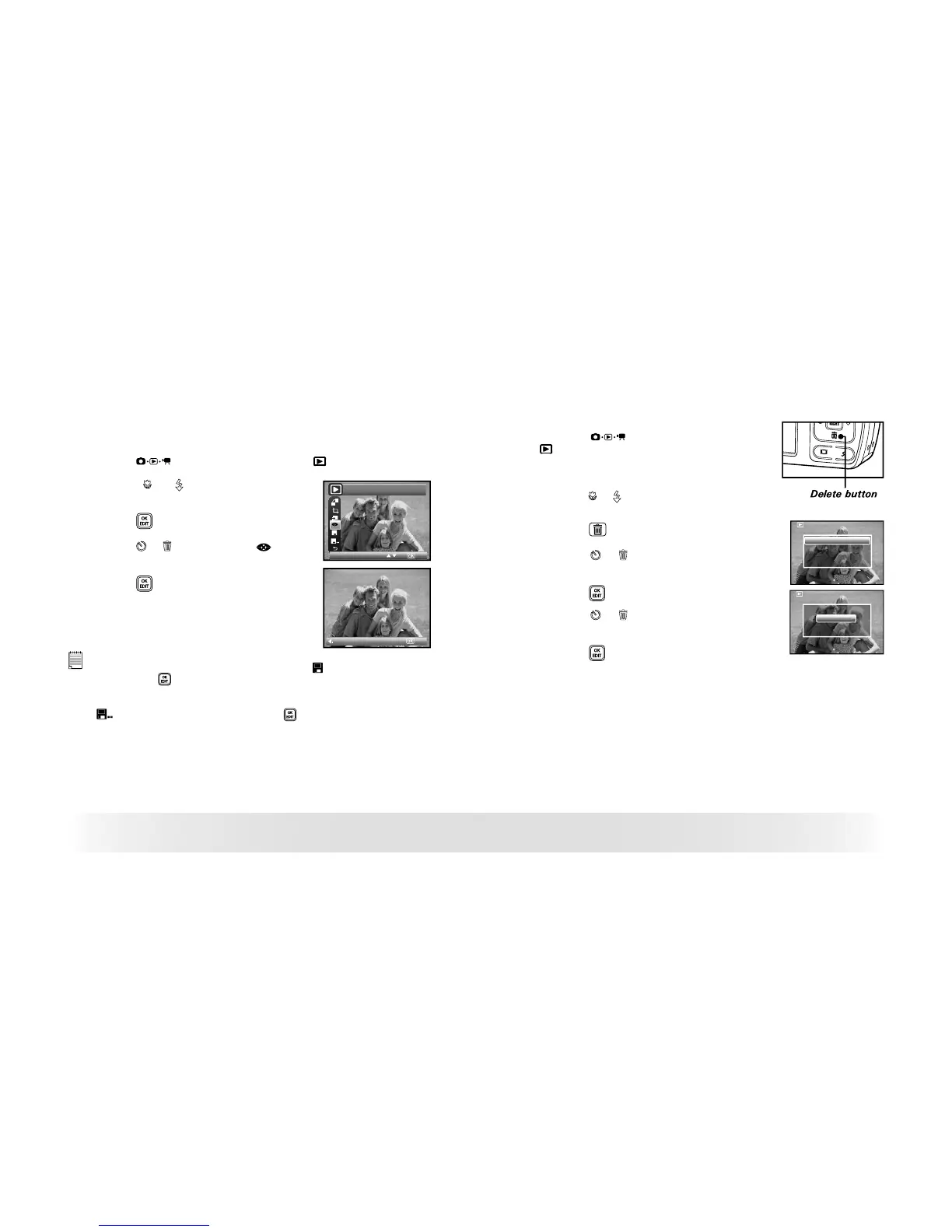
• Red-eye Removal
Under this setting, red-eye glare in your subject’s eyes may be removed
from the image.
1. Press the
button to set the camera to Playback mode.
2. Press the or button to select one
picture you want to manage.
3. Press the button.
4. Press the or button to select
(Red-
eye Removal).
5. Press the button.
Red Eye Remove
Return
NOTE:
• The original fi le may be retrieved by selecting the icon on the function bar
and press the button.
• A new fi le will be created and saved onto the memory card by selecting the
icon on the function bar and press the button.
• Deleting Pictures or Video Clip
1. Press the button to set the camera to
Playback mode.
Deleting a Single Picture or Video Clip
2. Press the or button to select the picture or
video clip you want to delete.
3. Press the
button.
This Image
All
Erase This ?
Cancel
OK
4. Press the or button to select the desired
setting.
5. Press the button.
6. Press the or button to select the desired
setting.
7. Press the button to confirm your choice.



 To Next Page
 Loading...







