Context Menu Commands
Copy – copies graph image into the clipboard;
Save Image As – opens Save As standard Windows window where user can save the
history graph as an image file (***.gif/jpg/bmp) into the user defined folder;
Page Setup – opens Page Setup standard Windows window where user can configure
print settings;
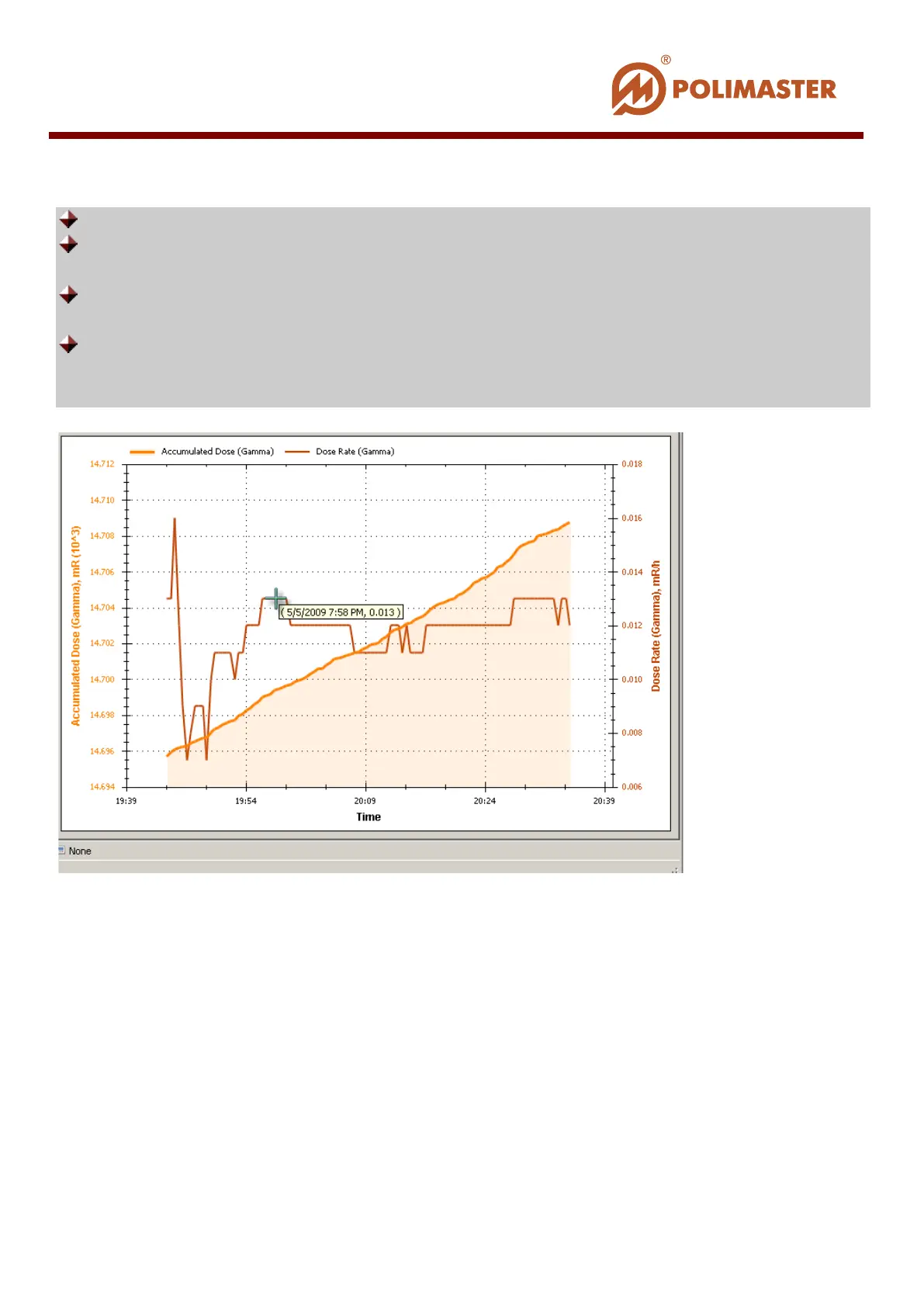
Show Point Values – flagged check box enables displaying of marker-pointer on the
graph. When user hovers a marker-pointer over the graph line, program pops up window
with point values along X and Y axis (see the illustration below).
T
T
h
h
a
a
n
n
k
k
Y
Y
o
o
u
u
f
f
o
o
r
r
C
C
h
h
o
o
o
o
s
s
i
i
n
n
g
g
P
P
o
o
l
l
i
i
m
m
a
a
s
s
t
t
e
e
r
r
!
!
____________________________________________________________________________________
© 2016 Software Guide www.polimaster.com
136



 To Previous Page