Need help?
Do you have a question about the Polk Audio SurroundBar 6000 and is the answer not in the manual?
Details compliance with Canadian Interference-Causing Equipment Regulations.
Guidance on proper disposal according to local laws and regulations.
Check carton contents against the provided list of included items.
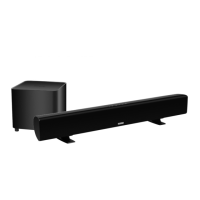
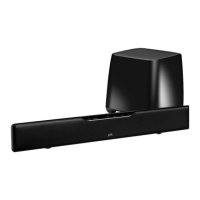
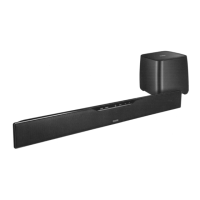
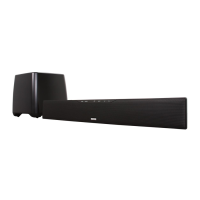
Highlights key features and benefits of the SurroundBar 6000 system.
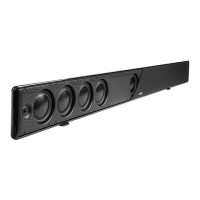
Details controls on the front of the SurroundBar, including Learn, Source, Power, Mute, and Volume.
Outlines rear panel connections like Power, Audio Inputs, and SYNC button.
Explains the meaning of different LED light patterns for operation and status.
Describes the functions of each button on the remote control.
Details the subwoofer's power switch, connection, and status light meanings.
Provides technical details such as power, dimensions, and weight.
Instructions for optimal placement of the soundbar for best audio performance.
Tips for placing the wireless subwoofer for enhanced bass output.
Explains how to connect various audio sources to the soundbar.
Details the simple power connection for the wireless subwoofer.
Instructions to re-establish wireless connection between the bar and subwoofer.
Guidance on adjusting volume balance when TV speakers are active.
Steps to adjust subwoofer volume for optimal blend with the soundbar.
Guides users on programming the SurroundBar to respond to their TV remote.
Instructions to adjust subwoofer volume using the soundbar's keypad.
Steps to resolve problems if the soundbar does not power on.
Steps to resolve problems if the subwoofer does not power on.
Diagnosing and fixing issues related to lack of audio output.
Troubleshooting steps for when the remote control is unresponsive.
Solutions for connecting audio when the TV lacks an optical output.
Addresses why remote control programming might fail and offers solutions.
Information on potential RF interference affecting wireless connections.
Cautionary advice regarding high volume levels and potential hearing damage.
Details the terms and duration of the product's limited warranty.
Provides contact information for technical support and inquiries.
 General
| Wireless Subwoofer | Yes |
|---|---|
| Bluetooth | No |
| Optical Inputs | 1 |
| Analog Inputs | 1 |
| Dolby Digital Decoding | Yes |
| DTS Decoding | Yes |
| Frequency Response | 40 Hz - 22 kHz |
| Remote Control | Yes |
| Wall Mountable | Yes |
| Type | Soundbar |
| Soundbar Dimensions (H x W x D) | 3.5" x 36" x 4.5" |
| Subwoofer Dimensions (H x W x D) | 10.5" x 10.5" x 10.5" |
| HDMI Output | 1 |
| Inputs | HDMI, Optical, Analog |

 To Next Page