
 Need help?
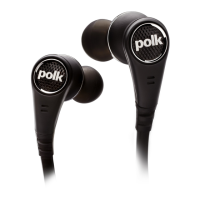
Do you have a question about the Polk Audio Ultrafocus 6000 and is the answer not in the manual?
Contact Polk Audio Customer Service for missing, damaged, or non-operating headphones.
Follow local and national regulations for proper disposal of the product.
Important advice on safe listening volumes and responsible use of headphones.
Guidance on choosing the right eartips for optimal fit, comfort, and sound performance.
Instructions for plugging in the headphones and noting their left/right orientation.
Instructions for cleaning headphones and eartips, and proper storage methods.
How to insert and replace the AAA battery for the active noise canceling feature.
Understanding the battery indicator light color changes.
Explanation of the 0dB and -10dB settings for different audio sources.
Solutions for common problems like no sound, low volume, or lack of bass.
List of included accessories and components with the headphones.
Explanation of the in-line controller functions: volume, push-to-hear, and attenuator.
 General
| Brand | Polk Audio |
|---|---|
| Model | Ultrafocus 6000 |
| Category | Headphone |
| Language | English |




 To Next Page
