Wi-Fi Setup
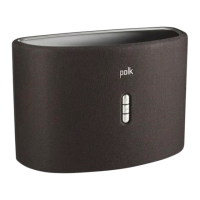
1 . Download the free Polk Omni App.
2. Plug
in
your Omni product.
• The Wi-Fi LED on the
back
of
the product wi
ll
blink, then
pulse slowly. (Figure 1
).
3. Launch the Polk Omni App.
• Follow the instructions
in
the app
to
connect
to
your network.
• A solid Wi-Fi LED means your
product has successfully
connected. Enjoy.
Note: If you have trouble connecting
to
your network, move the speaker near
your router, then relocate it when setup
is complete. Also, if the Wi-Fi LED is not
pulsing slowly, press and hold the Wi-Fi
SETUP Button (for eight seconds), until
you hear the second beep. (Figure
2).
I
.
For more information visit
our
website at
www.p
olkaudio.com
Wi-Fi LED
~
e
SETUP
D
@
Press Wi-Fi
SETUP Button
on
back
pan
el
f
or
8 secon
ds
0
®
Figure 1
Figure 2
3


 To Next Page
 Loading...