10
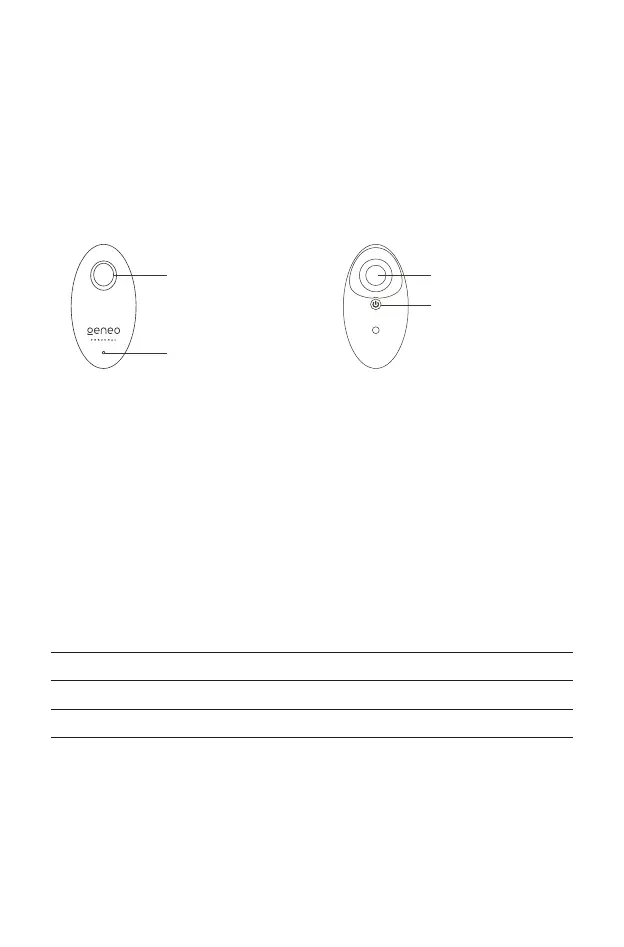
THE GENEO PERSONAL DEVICE
The Geneo Personal device is used to cleanse the skin. It can also be used as an applicator
for a weekly treatment using Geneo Personal skincare products, as described on page 12.
LED INDICATORS
The LED indicator on the front of the Geneo Personal device indicates the current
state of the battery.
Note - You can plug in the USB connector before or after placing the device in its
cradle for charging.
Tip - To insure that the device is always ready for use it is recommended to keep it
fully charged in the charging cradle between uses.
INDICATOR STATELED COLOR
Battery Charging • Blinking green
Battery Full • Steady green
Battery Low • Blinking yellow
Battery Depleted • Steady yellow
USING GENEO PERSONAL
FIG.4 Back of the
Geneo Personal device
Brush/Capsule Holder
Power Button
FIG.3 Front of the
Geneo Personal device
Capsule Eject Button
LED Indicator



 To Next Page