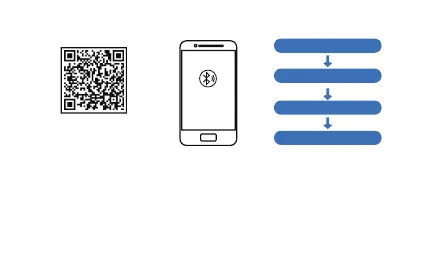
【APP connection method】
WearFit2.0 APP QR code
(WearFit2.0 allows the use of
mobile app features)
1. Scan the QR code above to download or search “Wearfit 2.0” in Android store or APP store
to download and install.
2. Press and hold the touch button for 3 seconds to turn it on, open and enter the “WearFit2.0”
app, search for the device according to the APP connection wizard, select the device model,
and complete the connection pairing.
Tips: For iOS devices, please press pair the Bluetooth for the first time connecting. Afterwards,
the bracelet will be able to receive the income calls, texts and more notifications pushed from
the iOS.
Click on your device in the
list of devices scanned
Open the mobile client to set
personal information
Switch to connection
management Search Device
Bind completed


 To Next Page