1. Overview
The Maestros are Pololu’s second-generation
family of USB servo controllers. The Maestro
family consists of four controllers, each available
fully assembled or as a partial kit:
• Micro Maestro 6 [https://www.pololu.com/
product/1350]
• Mini Maestro 12 [https://www.pololu.com/
product/1352]
• Mini Maestro 18 [https://www.pololu.com/
product/1354]
• Mini Maestro 24 [https://www.pololu.com/
product/1356]
With three control methods — USB for direct connection to a PC computer, TTL serial for use
with embedded systems, and internal scripting for self-contained, host controller-free applications
— and channels that can be configured as servo outputs for use with radio control (RC) servos
[https://www.pololu.com/category/23/rc-servos] or electronic speed controls (ESCs), digital outputs, or
analog/digital inputs, the Maestro is a highly versatile servo controller and general I/O board in a
highly compact package. The extremely precise, high-resolution servo pulses have a jitter of less
than 200 ns, making the Maestro well suited for high-performance animatronics, and built-in speed
and acceleration control make it easy to achieve smooth, seamless movements without requiring the
control source to constantly compute and stream intermediate position updates to the Maestro. The
Maestro features configurable pulse rates (up to 333 Hz for Mini Maestros) and can generate a wide
range of pulses to allow maximum responsiveness and range from modern servos. Units can be daisy-
chained with additional Pololu servo and motor controllers on a single serial line.
Pololu Maestro Servo Controller User’s Guide © 2001–2022 Pololu Corporation
1. Overview Page 4 of 102

 Need help?
 General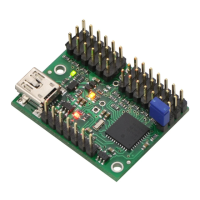

 To Next Page