EasyManua.ls Logo

Polono MT800 - Page 19

Polono MT800
19 pages
Print Icon
To Previous Page IconTo Previous Page
Loading...
Reset
-13-
-15-

(From Computer)
1. Connect the printer to the computer:
Connect the printer to the computer via

driver on the computer.




-10-
NOTE:
The MT800 should only be charged through a
computer USB port using the provided USB
cable.
2) Choose the setup language “English” and
click “OK”.
2. Install Driver:
1) Double click the driver program.
-12-
4) Click “Finish”.




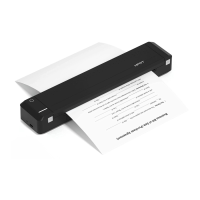
3. Loading paper: Put the paper into the paper




and the printer is ready.
Paper Inlet

printer cover is closed, or it may damage the



printer cover upward.
2. Remove the paper.
Removing Paper
NOTE:
General Q&A

responding to touch?
Remove t
Use a toothpick or pin to push down the [Reset]

the printer.
-11-
Note:

to the computer, the driver will be installed

3) Choose the matched type and port, and
click “Next.
-14-
-16- -17- -18-
2. Does the printer require thermal paper?

serves the same purpose.
3. Does the printer require an ink cartridge?
No, but it requires ribbon.
4. Are there any supplies for the printer?
A ribbon is included, but paper is not.
5. How to purchase the ribbon?

person to purchase.
6. How many copies can one ribbon print?

reduce this page count. Note: Double-sided





