EasyManua.ls Logo

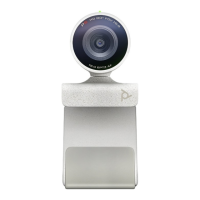
Poly Studio P5 - Getting Started; Poly Studio P5 Hardware Overview

Poly Studio P5
7 pages
Print Icon
To Next Page IconTo Next Page
To Previous Page IconTo Previous Page
Loading...
5 | v1.0
Poly P15 Lights Buttons and Controls
Indicator
Status
Solid white
Device is powered on, the shutter is open, and the
device is idle
Solid green
Camera is active (in use or displaying local video
preview out of a call)
Solid Red
Device is powered on, the shutter is Closed, and the
device is idle
Blinking yellow
Firmware update in progress
Off
Shutter is closed and no video is streaming
Poly P5 Device Privacy Shutter
To Open - Rotate the privacy shutter ring counterclockwise to open the shutter.
To Close - Rotate the privacy shutter ring clockwise to close the shutter.

Other manuals for Poly Studio P5

Related product manuals