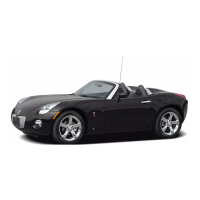
Getting to Know Your Solstice
4
Driver Information Center
(if equipped)
Your vehicle’s Driver Information Center
(DIC) provides vehicle information,
vehicle warning messages and vehicle
feature personalization. The DIC mes-
sages will be shown on your instrument
panel cluster display.
To operate the DIC, the ignition switch
must be on. The DIC is controlled
through the following two buttons locat-
ed on the left side of the steering wheel:
(Information): Press this button (A)
to scroll through the vehicle information
mode displays.
(Reset): Press this button (B) to
reset some information mode options,
select a personalization setting or
acknowledge a warning message.
Press both buttons for several seconds
and release to enter the personalization
menu.
Vehicle Information
Press the button to scroll through
the following vehicle information:
• Odometer
• Trip A or Trip B
• Fuel Range (until empty)
• MPG AVG (average fuel economy)
• MPG INST (instantaneous fuel
economy)
• AV Speed (average vehicle speed)
• Oil Life (remaining useful oil life)
• Coolant (engine coolant temperature)
• Tire Pressure (front and rear tire
pressures)
• Boost (if equipped) (indicates the
amount of boost the turbocharged
engine is receiving)
Press and hold the button to reset
the information while it is displayed.
Vehicle Feature Personalization
A variety of your vehicle’s features can
be personalized to your preference. To
personalize features:
1. The vehicle must be stopped to
access the personalization menu.
Press and hold both the and
buttons for several seconds and
release to enter the personalization
menu.
2. Press the button to scroll
through the available personalization
features.
3.
Press the
button to toggle
between the available settings for
each feature.
A
B
Solstice 2008 A 4/16/07 9:57 AM Page 4



 To Next Page
 Loading...