Getting to Know Your Sunfire
4
Audio Systems
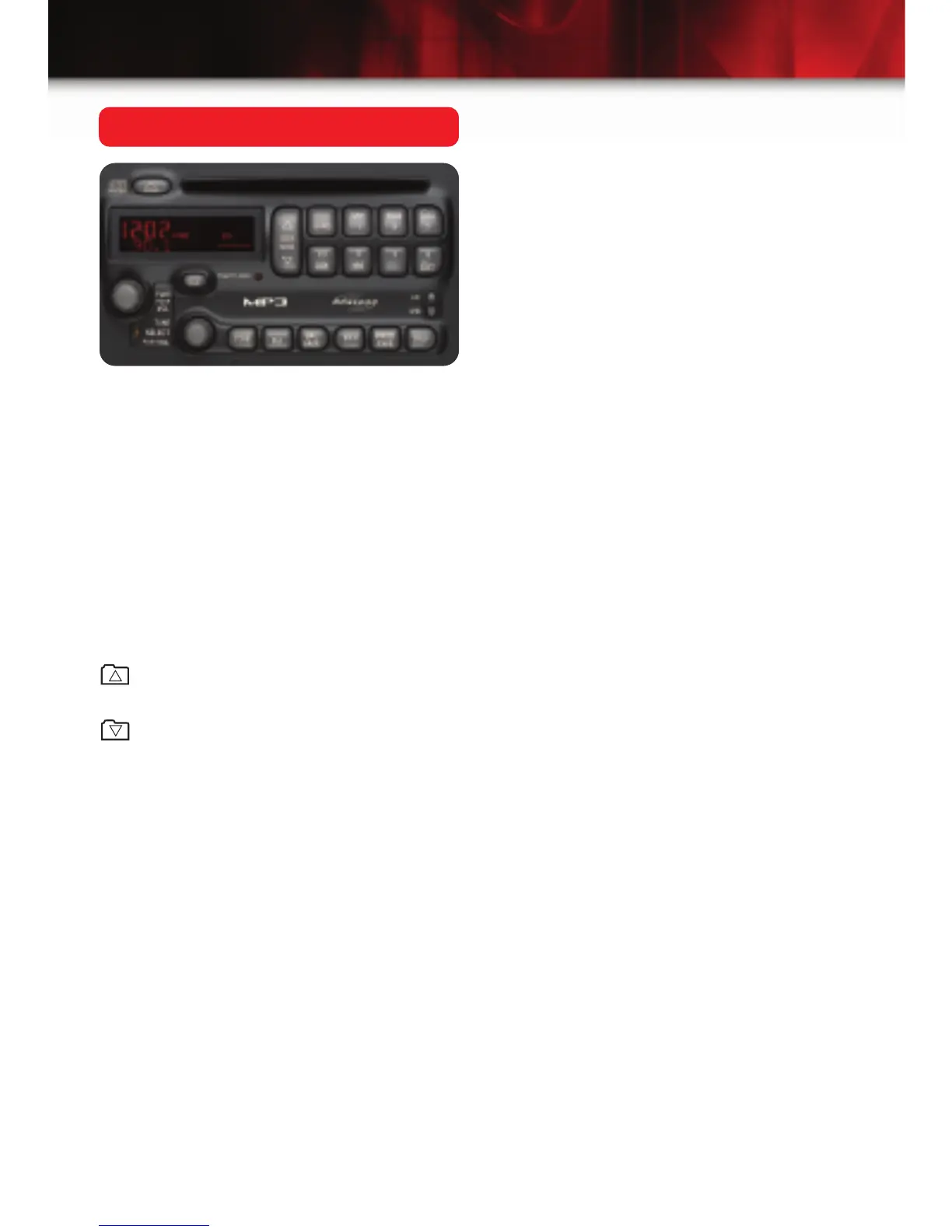
Setting the Radio Stations
The six numbered pushbuttons on your
radio return you to your favorite stations.
You can set up to 18 stations (six AM,
six FM, and six FM2) by performing the
following steps:
• Press PWR to turn the radio on.
• Press BAND to select AM or FM.
• Tune in the desired station.
• Press and hold one of the numbered
buttons until you hear a beep.
Whenever you press that numbered
button, the station you set will return
and the equalization you selected will
also automatically be selected for that
station.
• Repeat the steps for each
pushbutton.
MP3 Radio System
The optional MP3 radio system allows
you to play traditional CDs as well as
MP3 encoded discs. MP3 allows up to
50 playlists per disc and music can be
grouped in up to 50 folders. When using
MP3, the system displays the album
title, song title and artist name.
The system’s controls function like most
vehicle audio systems, while also includ-
ing two MP3-specific controls:
: Press this button to go to the first
track of the previous folder.
: Press this button to go to the first
track of the next folder.






 To Next Page