EasyManua.ls Logo

Pool Controls Ozone XLM Series - User Manual

Default Icon
24 pages
Print Icon
To Next Page IconTo Next Page
Loading...
Series
User Manual
for
Ozone with XLM Series Mineral
Chlorinators
Head Office: 58 Prosperity Avenue, Wangara, WA 6065
Phone: +61 8 9240 4400
Web: poolcontrols.com.au
Email: service@poolcontrols.com.au
User Manual - User Manual – Ozone XLM 2020.docx
Question and Answer IconNeed help?

Do you have a question about the Pool Controls Ozone XLM Series and is the answer not in the manual?

Summary

Manufacturers Warranty

3 Year Warranty on New Domestic Installations

Pool Controls warrants products free from defects in material/workmanship for 3 years from original date of purchase or installation.

2 Year Warranty on Replacement Parts

Pool Controls warrants replacement parts free from defects in material/workmanship for 2 years following purchase.

Exclusion for Wearing Parts

Warranty excludes wearing parts like squeeze tubes; recommends replacement every twelve months.

Warranty Obligations of Pool Controls

Pool Controls will repair or replace defective items if warranty conditions are met.

Procedure for Claiming Under Warranty

Steps for claiming warranty: contact service, confirm installation date and technician.

Warranty Terms and Contents

Call Out Fees

Details 'Back to Base' warranty and potential call out fees for service outside Pool Controls premises.

Warranty Exclusions

Lists exclusions for commercial applications, original owner, installation by unqualified technicians, and misuse.

Whats in the Box

Lists the components included with the Ozone XLM Series product.

How it Works

pH Control (standard in Ozone XLM unit)

Explains how the unit automatically adjusts pH by dosing acid based on chlorine production.

Initial Pool Balance

Guides on balancing pool water, focusing on mineral TDS levels before using the chlorinator.

Pool Water Chemistry

Chlorine

Guidance on initial chlorine levels and testing.

Stabiliser

Importance of stabiliser for sunlight protection and recommended levels.

pH

Optimal pH range for chlorine effectiveness and methods for adjustment.

Total Alkalinity (TA)

Explanation of TA, its role in pH stability, and recommended levels.

Installation Guide

Installation Diagrams

References installation diagrams and highlights the Venturi Injector.

Choosing a Good Location

Advice on selecting a suitable location for the Ozone XLM Series unit.

Installing the Ozone XLM Series Power Supply

Instructions for mounting and connecting the power supply unit.

Installing the Ozone XLM Series Cell

Guidance on plumbing the cell housing into the pool return line.

System Connections

pH Control Feed Line, Ozone Feed Line and Injector

Instructions for connecting pH control and ozone feed lines to the injector.

Pool Light Outlet

Details the timed power outlet for pool lighting up to 150W.

Auxiliary Power Outlet

Describes the timed power outlet for other pool accessories like UV units.

Installation Diagram and Venturi Injector

INSTALLATION DIAGRAM

Visual guide for installing the Ozone XLM Series, including pump, filter, heater, and cell.

VENTURI INJECTOR INSTALLATION

Key points for installing the Venturi Injector correctly for optimal suction.

ACID AND OZONE INJECTION

Diagrammatic representation of acid and ozone feed line connections.

CELL INSTALLATION

Guidance on the correct placement of the cell within the plumbing system.

The Venturi Injector

Cell Cable Connection

Instructions for connecting the cell cable to the power supply, ensuring color matching.

The Venturi Injector

Explains the Venturi Injector's function, installation requirements, and setting for vacuum production.

OZONE XLM Series Front Panel

Ozone XLM Series Display

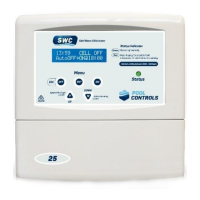
Description of the two-line LCD display and its information output.

Ozone XLM Series Operational Buttons

Overview of the five buttons used to navigate the Ozone XLM Series Menu system.

ON Button

Instructions for manually turning the system on and increasing run-time.

System Navigation

ESC;OFF Button

Functionality of the ESC/OFF button for manual shutdown and returning to the home screen.

ENT;Menu Button

How to use the ENT button to access menus and confirm selections.

Y;UP Button and Optional Pool Light

Using Y/UP for menu navigation, answering prompts, and controlling pool lights.

N;DOWN Button and Cover Blanket On;Off

Using N/DOWN for menu navigation and toggling the Cover Blanket setting.

Navigating the OZONE XLM Series Menu System

Timer Menu

Guide on setting the current time and adjusting filter cycle start/finish times.

Filter Cycles Menu

Details the default filter cycles and how to adjust their ON/OFF times.

Running Times and Light Control

Running Times

Recommendations for system operating hours, considering pool usage and conditions.

Light Timer Menu

Instructions for setting automatic ON and OFF times for pool or garden lighting.

Controlling Chlorine Residual

Ozone XLM Series Output Control

Explains how output percentage controls the Cell's ON/OFF duty cycle.

Chlorine Output and Advanced Settings

Chlorine Output Menu

How to adjust the chlorine output level via the menu system.

Superchlorination

Discusses chloramines and methods for superchlorination to destroy them.

Cover Blanket On;Off

How to adjust chlorine output when a cover blanket is in use.

Advanced Settings Menu

Introduces advanced settings like Water Temp, System Data, Filter Cycles, and Light controls.

pH Control

Accessing the +ACID Menu

Steps to access the +ACID menu for pH control when a dosing device is attached.

Acid Dosing System - Turning it ON and OFF

Instructions for enabling or disabling the automatic acid dosing system.

Adding Acid Manually - the ADJUST Man DOSE Sub-Menu

How to manually dose acid for priming or large adjustments.

Automatic Acid Dosing and Adjustment

Automatically Dose Acid - the ADJUST AutoDOSE Sub-MENU

Guide to adjusting automatic acid dosage amounts for pH control.

Priming the Dosing Pump

Procedure for priming the acid feed line and checking pump operation.

Adjusting the pH Control for Dilute Acid

How to set dilution rates for acid dosing via Advanced Settings.

Status Indicators and Safety

OZONE XLM Series Status Indicator, Warnings and Safety Shutdowns

Explanation of the front panel status indicator and common warnings.

Low Water Temperature & TDS

Warning for low water temperature or TDS and troubleshooting steps.

Gas Detection & Dry-Run Pump Shutdown

Details safety features for chlorine gas detection and pump dry-run protection.

System Operation and Warnings

High TDS

Warning for high TDS levels causing potential cell overheating and shutdown.

Cover Blanket On;Off

How the display indicates when the Cover Blanket mode is active.

Operation Following a Power Failure

Information on how the unit maintains time and settings after power interruptions.

Maintenance

The Ozone XLM Series Power Supply

Maintenance recommendations for the power supply unit, including do's and don'ts.

The Ozone XLM Series Cell

Explanation of cell wear, scale formation, and factors affecting scaling rate.

Cell Cleaning

Cell Cleaning

Instructions for cleaning the cell, including scale formation and acid solution preparation.

Troubleshooting

Troubleshooting

Checklist for low or no chlorine residual and unit not running.

Fuse Check

Guidance on checking the unit's fuse and recommended fuse types.

Overview

The Ozone XLM Series Mineral Chlorinator is a sophisticated pool sanitation system that combines ozone generation with mineral chlorination to provide effective and efficient pool water treatment. This system is designed to destroy contaminants faster than traditional chlorine-only systems, leaving more chlorine available as a residual sanitizer. It is suitable for domestic installations and comes with a 3-year warranty on new installations and a 2-year warranty on replacement parts (excluding wearing parts like squeeze tubes).

Function Description:

The Ozone XLM Series operates by passing a DC current through an electrolytic cell in mineral-salted water. This process, known as electrolysis, produces chlorine gas from magnesium, potassium, sodium, and chloride ions. The chlorine gas dissolves almost instantly to form free chlorine, a highly effective sanitizer. Simultaneously, the system generates ozone, a powerful oxidizer that rapidly breaks down contaminants. This dual action ensures comprehensive sanitation, reducing the overall chlorine demand and improving water quality.

A key feature of the Ozone XLM Series is its integrated pH control system. As chlorine is produced, the pool's pH tends to rise. The system employs a sophisticated algorithm to calculate the amount of acid needed to counteract this pH rise, automatically dosing acid to maintain the pH within the optimal range (6.8-7.8, depending on pool type). While the algorithmic pH control is effective, manual pH checks are still recommended to ensure accuracy.

The system includes a Venturi Injector manifold, which is crucial for introducing both ozone and acid into the pool's return line. This manifold creates a vacuum to draw in the ozone and acid, ensuring proper mixing and distribution.

The Ozone XLM Series also incorporates several safety features, including gas detection and a dry-run pump shutdown. If chlorine gas is detected for an extended period or if the pump runs dry, the system will automatically shut down to prevent dangerous conditions.

Important Technical Specifications:

  • Chlorine Production: The system constantly adds ozone and a dose of chlorine, with the amount of chlorine depending on cell output and running time.
  • pH Control: Algorithmic pH control is standard, automatically dosing acid to maintain pH balance.
  • Mineral Levels: Optimal TDS (Total Dissolved Solids) from minerals should be between 900 and 2000 ppm, ideally 1200-1600 ppm. The system will shut down if TDS exceeds 3000 ppm to prevent overloading the cell.
  • Power Supply: The unit is designed for operation in full sun and rain but benefits from being under cover. It requires connection to the mains power outlet of the pool area, which must meet Australian Standards.
  • Pump Socket: A dedicated PUMP socket outlet is provided for the filtration pump. Using a double adaptor to connect another pump will overload the system and void the warranty.
  • Light Power Outlet (Optional): If equipped, this outlet can power pool lights up to 150W and is timed for automatic operation.
  • Auxiliary Power Outlet (Optional): A third power outlet can be used for other pool equipment like UV units, timed with the pump outlet.
  • Fuse: The unit uses a ceramic (HRC) slow-blow fuse, size M205 (20mm x 5mm), TD5A or TD6.5A. Standard glass fuses should not be used.
  • Display: Two-line LCD display showing current time, cell status, output, and automatic timer status.
  • Clock: 24-hour quartz-crystal controlled Real-Time Clock (RTC) with battery backup for power failures.

Usage Features:

  • Operational Buttons: Five backlit buttons (ESC/OFF, ENT, ON, Y/UP, N/DOWN) control various functions and menu navigation.
  • Manual ON/OFF: The system and pool pump can be manually turned ON or OFF. Manual run time can be increased in hourly increments.
  • Timer Menu: Allows users to set the correct time (24-hour format) and adjust filter cycle start and finish times. Two filter cycles are pre-programmed, with the option to enable up to four via Advanced Settings.
  • Chlorine Output Menu: Users can adjust the chlorine output level as a percentage of maximum.
  • Superchlorination: The system helps destroy chloramines. If levels remain high, a shock dose of chlorine or extended operation is recommended.
  • Cover Blanket Mode: A dedicated button (N/DOWN) toggles "Cover Blanket On/Off" mode. When active, the system reduces chlorine output to compensate for reduced demand, preventing over-chlorination and potential damage to the blanket or pool fittings. The display will flash "COVER," and the Status LED will alternate orange.
  • Manual Light Operation: If optional pool lighting is connected, lights can be turned on/off manually. For multi-coloured LED lights, holding the Y/UP button cycles through colours.
  • Acid Dosing System: Can be turned ON or OFF. Manual acid dosing (0mL to 750mL in 15mL increments) is available for priming lines or adding large doses after buffering. Automatic acid dosing can be adjusted in increments of 10.
  • Dilute Acid Setting: Allows adjustment for different acid dilution rates (e.g., 10%, 14-16%, 20%) via the Advanced Settings Menu.
  • Status Indicator: A front panel LED shows green (OK) or red (WARNING). LCD displays provide detailed warning messages (e.g., "COLD WATER TEMP," "CHECK SALT/CELL," "CELL GAS," "NO FLOW PUMP OFF," "HI SALT LEVEL").
  • Power Failure Recovery: The system retains settings and time during power failures and will resume operation automatically when power is restored.

Maintenance Features:

  • Regular Checks: Users are advised to regularly check the system's operation and pool water balance.
  • Cell Cleaning: The electrolytic cell is self-cleaning through polarity reversal, which minimizes scale build-up. However, in conditions of extreme hardness or mineral levels, scale may still form. Soft mineral scale can often be hosed off. For thicker scale, the cell can be cleaned in a solution of 1 part hydrochloric acid to 4 parts water (or a commercial cell cleaning solution).
  • Important Cleaning Note: Never use a stiff brush or hard implement to clean the cell, as this will damage the protective coating. Do not remove the cell straps during cleaning.
  • Squeeze Tube Replacement: Squeeze tubes in dosing pumps are wearing parts and should be replaced every twelve months by a suitably qualified technician.
  • Insect Control: Keep the pool equipment area free of insects, as intrusion is not covered by warranty.
  • Chemical Storage: Avoid mounting the power supply near chemical storage to prevent corrosive vapors from damaging electronic controls.

The Ozone XLM Series is designed for ease of use and provides comprehensive control over pool sanitation, ensuring clean and healthy water with minimal manual intervention.

Pool Controls Ozone XLM Series Specifications

General IconGeneral
BrandPool Controls
ModelOzone XLM Series
CategoryWater Filtration Systems
LanguageEnglish

Related product manuals