18 | EN
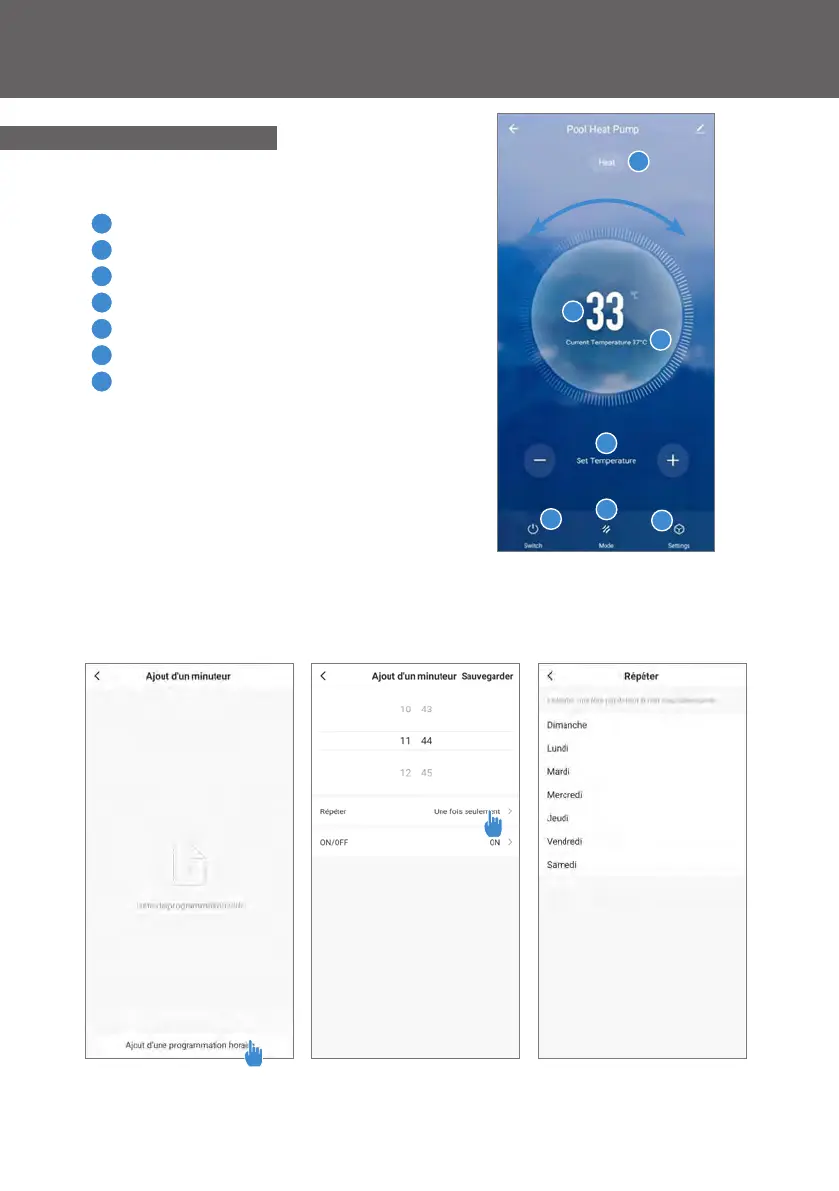
1
Current pool temperature
2
Temperature setpoint
3
Current operating mode
4
Switch the heat pump on/o
5
Change the temperature
6
Change the operating mode
7
Set the operating range
Interface
4.5.4 Controlling
Step 1 : Create a schedule, choose the time, day(s) of the week(s), and the
action (turn on or o) and save.
Congure the operating ranges for the heat pump
Step 2 : To delete a time slot, press on it and hold.
1
2
3
4
5
6
7
4. Use



 To Next Page