EasyManua.ls Logo

POPCORN HOUR A-410 - User Manual

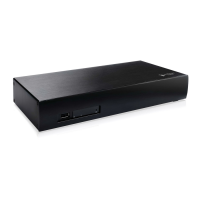
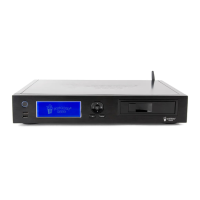
POPCORN HOUR A-410
20 pages
Print Icon
To Next Page IconTo Next Page
Loading...
Popcorn Hour A-410
User Manual
Question and Answer IconNeed help?

Do you have a question about the POPCORN HOUR A-410 and is the answer not in the manual?

Overview

The Popcorn Hour A-410 is a networked media jukebox designed to be a central hub for digital entertainment, offering a TV apps market to enhance the home entertainment experience. It allows users to access content from various sources, including internal hard drives, connected USB storage devices, and network shares. The device also provides real-time weather forecasts and displays the current date and time on its home screen.

Function Description:

The Popcorn Hour A-410 serves as a comprehensive media player, capable of handling a wide range of video, audio, and photo formats. It supports playback of various video codecs and containers, including MPEG1/2/4, AVI, ASF, WMV, MKV, MOV (H.264), MP4, 3DMKV, and 3D BD ISO. For audio, it supports AAC, M4A, MPEG audio (MP1, MP2, MP3, MPA), WAV, WMA, FLAC, OGG, APE, and TTA. Photo formats like JPEG, BMP, PNG, GIF, and TIFF are also supported. The device can pass through DTS, DTS-HD HR, and DTS-HD MA audio. It also features ISO and IFO navigation, simple BD navigation, and supports multiple subtitle formats such as SRT, MicroDVD SUB, SSA, SUB/IDX, and Opensubtitle.

A key feature of the Popcorn Hour A-410 is its Networked Media Jukebox (NMJ) functionality, which helps organize and manage media libraries. The NMJ allows users to download movie thumbnails and metadata, edit or update movie information, and download subtitles, creating a rich browsing experience for their media collection. The device also supports NMT (Networked Media Tank) Apps, which can be installed to extend its capabilities. These apps include an FTP server, Samba server, Torrent client, and Usenet client (with NZBGET setup and access).

The device is equipped with various connectivity options, including HDMI, Component Video, CVBS, Stereo Analog Audio, Digital Optical, and Digital Coaxial outputs. For data transfer and external storage, it provides 2x Host USB 2.0 ports, 1x Slave USB 3.0 port, 1x eSATA port, and an SD Card Reader. Network connectivity is supported via Gigabit Ethernet, with an optional Wireless N USB dongle.

Usage Features:

The Popcorn Hour A-410 is designed for ease of use, starting with a Quick Setup Wizard that guides users through initial configuration, including language settings and network connection. The home menu provides quick access to key functions such as Apps Market, Local Media, Setup Wizard, Setup, Network, and Recently Played.

The remote control offers extensive functionality for navigating the user interface and controlling media playback.

  • Power: Turns the player ON/OFF, switches to VIDEO OFF mode (audio/video off, other tasks run), soft reboots, or puts the player in STANDBY mode.
  • Eject: Ejects optical discs from an attached CD/DVD/BD-ROM drive, ends media playback in Apps Market, or soft reboots when pressed with POWER.
  • TV Mode: Quick-access button to select TV output resolution.
  • Setup: Provides quick access to the setup page, allows customization of display output and audio sync during video playback, and unlocks settings when pressed with PLAY.
  • 0-9 Alphanumeric Keypad: Used for inputting alphanumeric values. During media playback, pressing a number skips to a percentage of the total playback time (e.g., 3 for 30%).
  • Delete: Erases alphanumeric values during input or puts the player into STANDBY mode when pressed with POWER.
  • Caps/Num: Switches between capitalized, numeric, and non-capitalized letters during alphanumeric input.
  • A-B/Home: Returns to the main menu, quits apps or Apps Market, and enables/disables Repeat A/B function during playback.
  • Time Seek: Allows jumping to a specific playback time (hours:minutes:seconds).
  • Color Buttons (Red, Green, Yellow, Blue): Context-sensitive buttons, with their functions indicated by legends on the user interface.
  • Return: Returns to the previous menu.
  • Source: Returns to the Media Source screen. While viewing images or listening to audio files, it allows switching between selections, toggling audio playback, photo slideshows, and menu screen mode.
  • Enter: Confirms selections and starts media playback for single files and DVD/BD formats.
  • D-Pad: Navigates the user interface, performs partial time seek during movie playback (LEFT/RIGHT), displays File mode menu (LEFT/RIGHT), and shifts the screen during image viewing.
  • Info: Displays metadata for selected media files and shows the timeline bar and media file information during playback.
  • Stop: Stops media playback and returns to the menu screen.
  • Page Up/Vol+: Moves up a page on a list of media files and increases volume.
  • Page Down/Vol-: Moves down a page on a list of media files and decreases volume.
  • Play: Creates a temporary playlist of all files in a directory and starts playback, or resumes playlist playback after a pause.
  • Pause: Pauses media playback.
  • Mute: Mutes audio output.
  • Rev (Rewind): Rewinds current media playback, toggling between 1x, 2x, 4x, and 8x speeds.
  • Fwd (Fast-forward): Fast-forwards current media playback, toggling between 2x, 4x, and 8x speeds.
  • Menu: Brings up the DVD menu during playback for customization, opens the menu in NMJ, and brings up the settings menu during slideshows to select effects and slide interval.
  • Prev (Previous): Skips backward within a playlist or to the previous chapter during video playback.
  • Next: Skips forward within a playlist or to the next chapter during video playback.
  • Title: Brings up the Title menu to change scene, audio language, or subtitle, where supported.
  • Repeat: Offers three playback modes during music playback: repeat chosen song, restart playlist from top after last song, or play songs in shuffled order.
  • Slow: Slows down current media playback, toggling between 1/2, 1/4, and 1/8 speeds.
  • Angle: Switches camera or viewing angle during DVD playback (for multiangle formats) and switches PMT for TS with multiple-PMT support.
  • Audio: Cycles through audio tracks during video playback and brings up the audio player control menu in background music mode (e.g., during slideshow).
  • Subtitle: Turns ON subtitles and toggles through options. It allows setting timing offset, displaying language, changing subtitle color, size, and position using D-Pad buttons. Available options vary by subtitle type.
  • Zoom: Toggles between viewing options. During single file playback, it allows toggling between Actual Size, Fit To Screen, Crop, or Full Screen; magnifying screen size by 1% increments; and panning/scanning the display screen. During DVD/BR/ISO playback, it zooms in/out. In the NMT browser, it increases screen area by 50% or 100% for improved text readability.

Maintenance Features:

The Popcorn Hour A-410 requires minimal maintenance, primarily focusing on ensuring proper ventilation and power supply. Users are advised to keep the unit well-ventilated and avoid blocking any ventilation openings to prevent overheating. Only recommended accessories should be used.

For servicing, users should refer to qualified service personnel, especially if the apparatus is damaged (e.g., power-supply cord or plug damage, liquid spills, object falls, exposure to rain/moisture, abnormal operation, or if it has been dropped). The cover should not be removed as there are no user-serviceable parts inside.

Firmware updates are a key maintenance feature, ensuring the device runs the latest software with improvements and bug fixes. The manual provides instructions for updating the firmware.

For the remote control, replacing batteries with two new AAA ones is recommended if it becomes slow to respond or unresponsive.

The device also includes a "Maintenance" section in its setup menu, which likely provides tools for system checks, data management, or other upkeep tasks.

POPCORN HOUR A-410 Specifications

General IconGeneral
Hard DriveNot included
Video OutputHDMI 1.4
Audio OutputHDMI, Optical S/PDIF, Stereo Analog
USB Ports2 x USB 3.0
NetworkGigabit Ethernet
Card ReaderSD card reader
Supported Video FormatsMKV, MP4, AVI, MOV
Supported Video CodecsH.264
Supported Audio FormatsMP3, AAC, FLAC, WAV
Supported Image FormatsJPEG, BMP, PNG, GIF
Power Supply12V DC, 3A
StorageInternal 3.5" SATA HDD (optional)

Related product manuals