4. Can I use other micro-USB cable?
Yes, any good and reliable 3rd party micro-USB cable will work with this watch.
5. What kind of charger should I use?
Typically a USB charger with at least 5V 1.0A for reliable and timely charging is recommended.
6. How long can the battery last?
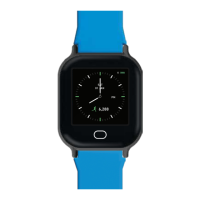
Under normal use, the watch can be used up to 14 days. Normal usage refers to the brightness level
set at medium, and the heart rate monitoring feature limited to sporadic use.
7. Is the watch water proof?
No, it is water-resistant. This means that it can withstand rain and light exposure to water, such as the
washing of hands and a “short” shower, but is not suitable for swimming.
8. How should I clean the watch?
We recommend using a damp (not wet!) cloth to wipe the watch gently.
9. What is the warranty for this watch?
The watch is warranted for one year against manufacturing defects on the watch body and the watch
electronic function itself. Signs of abuse and misuse will void the warranty. Straps are not covered in
this warranty.
For faulty watches, you can make a 1-to-1 exchange at our Smart Buddy Watch Service Centre: 3015A
Ubi Road 1, #06-02, Singapore 408705. Do remember to remove the payment chip from the faulty
watch and insert it into the new watch. Thereafter, set up the new watch via the ‘Watch’ section on the
Smart Buddy Mobile App
Frequently Asked Questions (FAQ)
10. Can I change the watch strap?
Yes you can! eShoppenow.com has a spectacular range of beautiful and reliable straps available for
purchase.
11. Can I purchase this watch?
Yes you can! You may purchase a new watch from eShoppenow.com. Do take note that the watch is only
compatible for use with the POSB Smart Buddy Mobile App.
12. Where can I download the Smart Buddy Mobile App?
The mobile app is available for download using the links here.
Refer to our Smart Buddy Mobile App guide here for more info.
13. What should I do if my child loses his/her Smart Buddy card/watch with chip?
You may temporarily disable the Smart Buddy watch by switching the “Disable Account” to “On” under your
child’s profile. In the event the watch is found, you may enable it again by switching the “Disable Account” to
“Off”.
Do note that disabling the account only disables its usage on Smart Buddy terminals and NETS retailers
outside of school. Non-NETS related transaction (i.e., MRT/Bus Ride) will not be disabled.
You may refer to our Smart Buddy Help & Support page here for more information.
14. I am unable to sync my Smart Buddy watch. What can I do?
Please ensure you have installed the latest version of the Smart Buddy Mobile App on your phone. Once
done, please try to sync again. You may follow the guides here to sync your Smart Buddy watch. If it still fails,
you may have a faulty Smart Buddy watch.
12


 To Next Page
 Loading...