Using the Watch
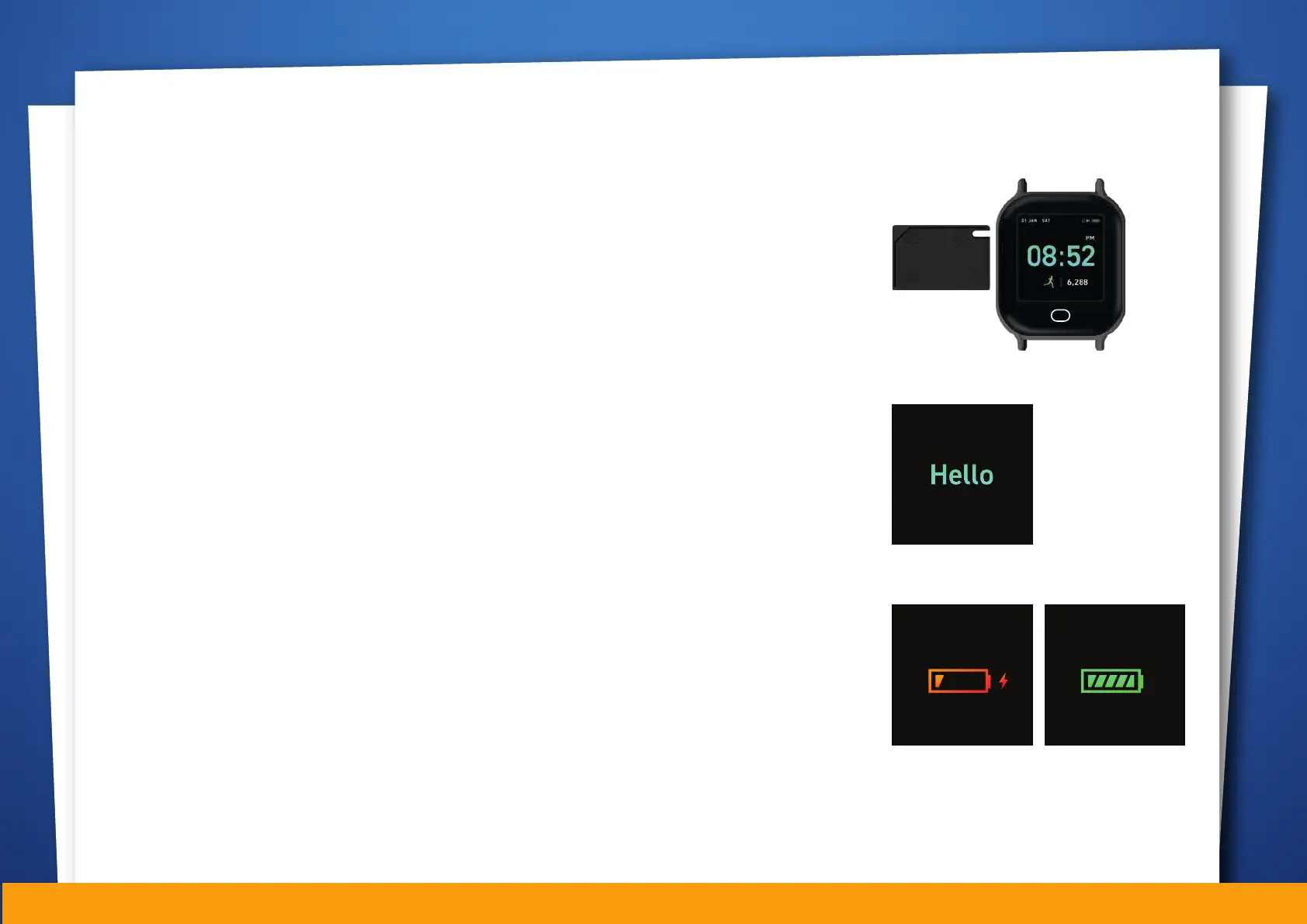
Installing the Smart Buddy Payment Chip
Using any flat tool (such as toothpick, clip or fingernail), gently pull on the tray
slot to remove it. Place the Smart Buddy payment chip you received from
POSB on the tray and reinsert the tray into the slot.
NOTE : The payment chip and the watch are not connected electronically. This means that
even if the watch runs out of battery, payments can still be processed.
Power Up
Touch the function button for at least three seconds, if the watch has power, it
will power up with our signature HELLO screen.
If the screen does not appear, please charge the watch using the cable
provided.
Charging
The screen will show the charging status. Charging takes around 90 - 120
minutes to obtain a full charge from 0%. Time taken is dependent on the
charger used.
JOHN
08:52PM
CHARGING...
01 JAN, SAT
CHARGING...
01 JAN, SAT
08:52PM08:52PM
NOTE : Please insert micro-USB cable in the correct direction/ orientation carefully to
ensure that the reliability of the watch is not compromised.
05


 To Next Page