EasyManua.ls Logo

Posey Sitter On Cue - User Manual

Default Icon
34 pages
Print Icon
To Next Page IconTo Next Page
Loading...
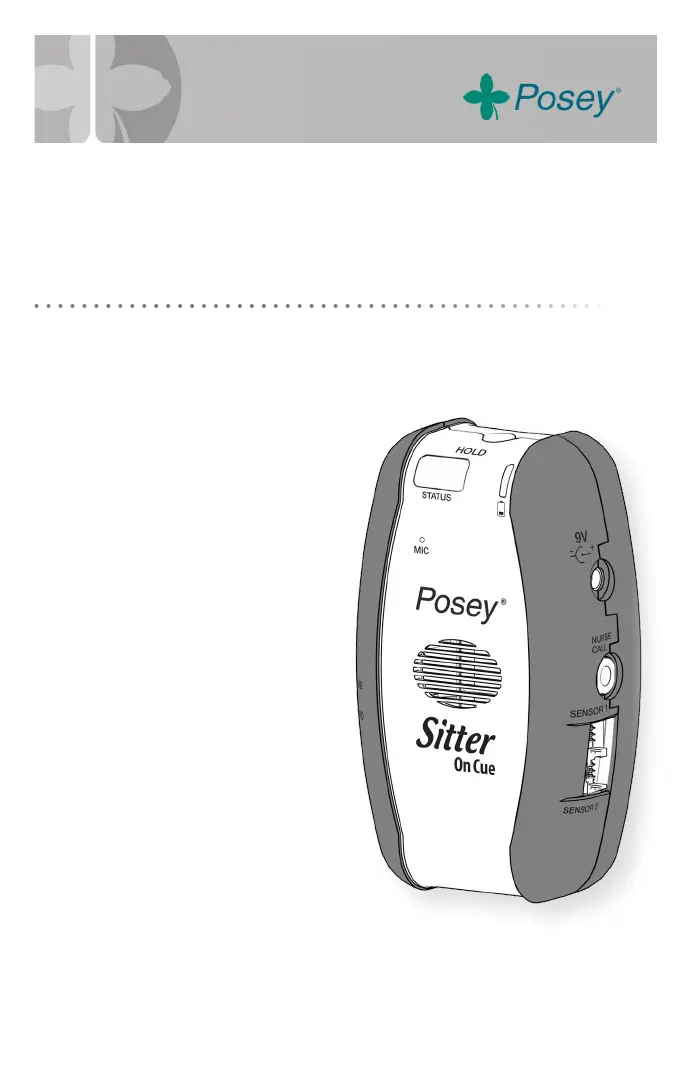
Sitter On Cue
®
Instruction Manual
Before using the Posey Sitter On Cue, read this entire manual and save for future reference.
The Posey Sitter On Cue Alarm
is an important part of your falls
management program.
Ensure all parts of this
system are operational
before leaving a
patient unattended.
8645

Questions and Answers

  • B
    Beth CraigAug 10, 2025
    Why doesn't my Posey Sitter On Cue Security System activate the nurse call station?
    • P
      paigeharperAug 10, 2025
      If the in-room alarm of your Posey Security System activates, but the nurse call station doesn't, make sure that all connections are secure and that the nurse call cable is properly connected to both the alarm and the facility’s nurse call system; the connections should snap together tightly. Check for any worn or damaged wires. Verify that you are using the correct adapter for your system.
  • E
    Eugene RuizAug 14, 2025
    How to fix a Posey Sitter On Cue Security System that doesn't alarm when patient exits?
    • K
      Karen WhiteAug 14, 2025
      If the Posey Security System does not alarm when a patient exits the bed or chair, first ensure that the alarm is turned ON, indicated by a STATUS LED flashing green or red. If it's on, check the batteries. If necessary, replace them with four new “AA” alkaline batteries, being careful not to mix old and new batteries or different brands.
  • J
    jonesbryanAug 18, 2025
    How do I adjust the volume on my Posey Sitter On Cue Security System?
    • S
      Stephanie GriffinAug 18, 2025
      If the alarm volume on your Posey Security System is too low or too loud, press the VOLUME button on the side of the alarm to adjust the volume setting. Continue pressing the button to cycle through the available volume levels. The last sample heard will be the volume that is used.
  • W
    william51Aug 23, 2025
    Why can't I access voice or mute mode on my Posey Security System?
    • S
      Sandra WalshAug 23, 2025
      The “Voice Only” and “Mute” modes on the Posey Security System are only accessible when the nurse call interface is in use. Ensure that the nurse call cable is correctly connected to both the alarm and the nurse call panel jacks.
  • K
    Kathy BryantAug 27, 2025
    How to stop Posey Sitter On Cue Security System sensors from sliding on foam overlays?
    • J
      Jennifer HayesAug 27, 2025
      If the sensors on your Posey Security System slide around when the head of the bed is raised or lowered on beds with foam overlays, anchor the sensors on top of the mattress, under the foam overlay, using the Posey Grip and clips provided.
  • S
    Stephanie KimOct 31, 2025
    Why is my Posey Sitter On Cue alarm going off continuously?
    • E
      emilyfrenchOct 31, 2025
      If the Posey Security System alarm is continuously sounding even when the patient is in bed or chair, you should first inspect the sensor pad cord and RJ11 plug for cleanliness and any damage, ensuring they are properly connected to the alarm. Additionally, examine the sensor pad for creases or damage to the vinyl cover. Also, verify that the sensor pad is correctly positioned directly beneath the patient's weight. It's also important to check the sensor pad expiration date, as a continuous alarm may indicate that the sensor pad is worn out and needs replacement. Check seating/positioning aids such as wheelchair cushions or wedge cushions, as weight from these may activate alarm, or prevent sensor from activating. Finally, inspect the 'neck' of the chair sensor pad for any signs of liquid ...
  • T
    tgreeneNov 4, 2025
    What to do if my Posey Sitter On Cue Security System has an intermittent alarm?
    • D
      David DudleyNov 4, 2025
      To resolve intermittent alarms from the Posey Security System while the patient is in bed or chair, start by checking the sensor cord and RJ11 plug for any damage and ensure they are clean and properly connected to the alarm. Inspect the sensor pad for creases or damage to the vinyl cover. Make sure the sensor pad is positioned directly under the patient's weight. Ensure the sensor cord is not folded back under the pad and the air intake is not blocked, allowing free air flow. If the issue persists, try a new sensor. Check that the mattress continues to make contact with the sensor, even if the head or foot of the bed is articulated. Also, check the batteries and ensure that they are not corroded. If the sensor is getting caught in 'hammocking' wheelchair seat, place a foundation cushion o...

Summary

Device Preparation and Setup

Battery Installation Procedure

Step-by-step instructions for installing batteries.

Alarm Mode Configuration

Alarm Tone Selection

Choosing an Alarm Tone

Step-by-step guide to choosing an alarm tone.

Alarm Volume Adjustment

Adjusting Volume Levels

Instructions for adjusting the alarm volume level.

Alarm Time Delay Settings

Setting the Alarm Delay

Procedure for setting the alarm delay time.

Using the Hold Button

Placing Alarm on Temporary Hold

How to temporarily pause monitoring without turning off the alarm.

Extended Hold Functionality

Procedure for placing the alarm on an extended hold state.

Nurse Call System Integration

Connecting the Nurse Call Cable

Steps to connect the alarm to a facility's nurse call system.

Sensor Monitoring Basics

Dual Sensor Monitoring

Important Warnings and Cautions

General Usage Warnings

Critical precautions for alarm and sensor usage, connections, and testing.

Device Mounting Instructions

Troubleshooting Common Issues

Resolving Continuous Alarms

Diagnosing and resolving persistent alarm activations.

Intermittent and No Alarm Troubleshooting

Troubleshooting intermittent alarms and failures to alarm.

Posey Sitter On Cue Specifications

General IconGeneral
BrandPosey
ModelSitter On Cue
CategorySecurity System
LanguageEnglish

Related product manuals