EasyManua.ls Logo

POSIFLEX CD-3200U - User Manual

POSIFLEX CD-3200U
20 pages
Print Icon
To Next Page IconTo Next Page
Loading...
1
Package Contents
CD-3200U/3201U
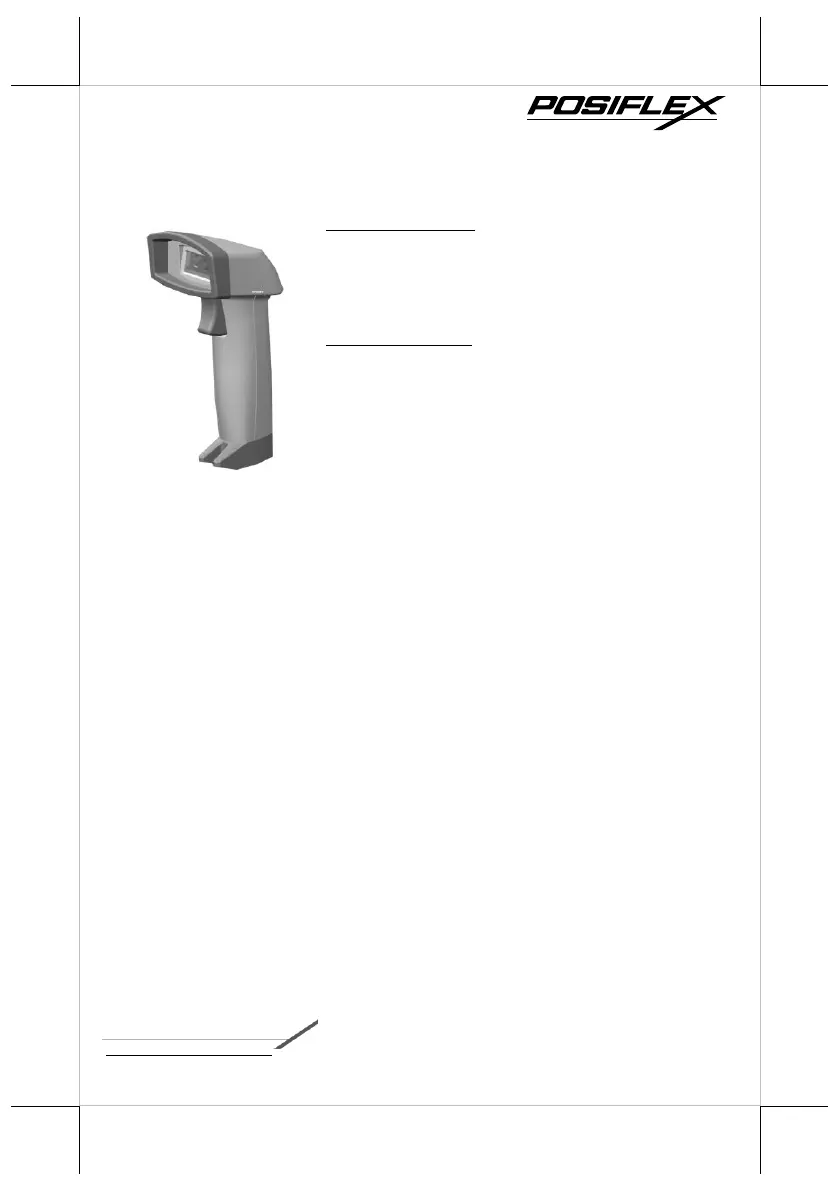
CD-3200U/3201U 2D image scanner
ST-8000 scanner holder stand (Optional)
USB cable
Quick setup guide for CD-3200U/R
CD-3200R/3201R
CD-3200R/3201R 2D image scanner
ST-8000 scanner holder stand (Optional)
RS-232 cable
Quick setup guide for CD-3200U/R
18160900030 Ver. B0
http://www.posiflex.com
CD-3200U/R & CD-3201U/R
2D Image Scanner
Quick Setup Guide

Questions and Answers

  • M
    Mrs. Jacqueline PriceAug 4, 2025
    Why is my POSIFLEX Barcode Reader not reading barcodes?
    • K
      Kenneth BergAug 4, 2025
      If your POSIFLEX Barcode Reader is on but failing to read barcodes, several factors could be at play. First, ensure the scanner window is clean, referring to the Scanner Maintenance section for proper cleaning. Next, the barcode type might not be enabled; consult the guide to enable it. Also, verify that the host terminal hasn't disabled the scanner. Lastly, confirm that the barcode type is supported by your scanner.
  • A
    Ashley ReedAug 12, 2025
    What to do if POSIFLEX CD-3200U reads barcode but not accepted by POS system?
    • C
      Corey WalkerAug 12, 2025
      If your POSIFLEX Barcode Reader reads a barcode but the POS system doesn't accept it, the issue might stem from mismatched communication settings between the system port and the scanner. Adjust these settings to ensure they match. Also, ensure the scanner is correctly installed; contact your dealer for assistance if needed. Finally, the software running on the POS system may not support the barcode label's data format.
  • C
    christinahansonAug 19, 2025
    What to do if POSIFLEX Barcode Reader does not accept more than two or three barcode labels?
    • R
      Ryan JohnsonAug 19, 2025
      If your POSIFLEX Barcode Reader only accepts two or three barcode labels, first determine if the required barcode types are enabled. Additionally, check for any stray barcodes within the scanner's field of view and remove them. Finally, ensure the scanner is properly installed and that your host POS system is ready to receive data.
  • K
    Kathy ChapmanAug 26, 2025
    How to fix POSIFLEX CD-3200U Barcode Reader that cannot read a barcode automatically?
    • D
      Dr. Julie DelgadoAug 26, 2025
      If your POSIFLEX Barcode Reader fails to automatically read a barcode when it's held close to the scanner, check if Manual Trigger mode is enabled. If it is, disable it by scanning the “Disable trigger” barcode found in the advanced user manual.

Summary

Product Overview

Scanner Maintenance

Guide to cleaning the scanner window and replacing interface cables.

Programming Codes

Firmware Version

Scan barcode to retrieve the scanner's current firmware version.

User Interface Switch Barcodes

Select interface type (RS232, USB-HID, USB virtual COM) and reset defaults.

Trigger Mode Settings

Auto Trigger Detection Mode

Configure illumination settings for target code detection in Auto Trigger mode.

POSIFLEX CD-3200U Specifications

General IconGeneral
BrandPOSIFLEX
ModelCD-3200U
CategoryBarcode Reader
LanguageEnglish

Related product manuals