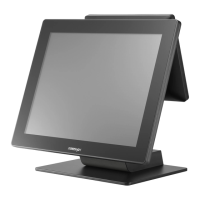
15.6” RT-2016/2116
Powering ON/OFF RT-2015/2016/2115/2116
Power ON RT-2015/2016/2115/2116
Press down the power button to power on the POS.
Power OFF RT-2015/2016/2115/2116
In most cases, press the power button of the POS to
power the system off. If the terminal fails to turn off
the machine for unknown reasons, please be advised
to hold the power button more than 10 seconds to
force a shutdown of the system.
Installing an Operating System
You are highly advised not to install an operating system on RT-
2015/2016/2115/2116 without professional instructions. Improper installation
could lead to system malfunction or failure. Please contact with your dealers
about the issues of operating system installation.
Performing System Recovery
For RT-2015/2016/2115/2116 model with preloaded operating systems,
Recovery DVD which includes useful utilities will be provided in the package
to assist you in efficiently restoring or repairing your damaged system.
However, you are not encouraged to recover your system without the help of
system integrators. Please be advised to contact your service center for further
assistance with system recovery.
Operation Environment
To prevent RT-2015/2016/2115/2116 from overheating, it is suggested to
position your terminal in a well-ventilated working environment. In doing so,
please be advised to keep the POS terminal at least 25mm away from other
devices to ensure the machine is properly cooled down and functioning
normally.


 To Next Page
 Loading...