Need help?
Do you have a question about the Poskom VET-20BT and is the answer not in the manual?
Provides an overview and introduction to the VET-20BT x-ray system.
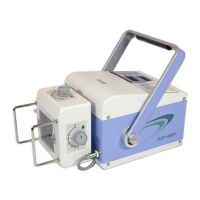
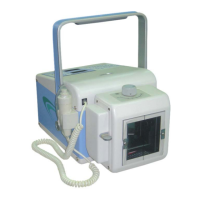
Introduces the VET-20BT as a portable, high-frequency x-ray system.
Details the manual's scope for operators and service personnel.
Lists instructions for safe and reliable operation of the equipment.
Specifies temperature, humidity, and atmosphere for device operation.
Defines ideal conditions for optimal performance and usability.
Outlines environmental conditions for safe storage and transport.
Lists the main parts and devices that constitute the VET-20BT system.
Lists additional items that come with the VET-20BT unit.
Details the technical parameters and performance specifications of the device.
Provides the physical dimensions of the main VET-20BT unit.
Specifies the dimensions of the included carrying case.
Presents general data related to the x-ray tube specifications.
Displays curves illustrating the relationship between filament voltage and current.
Shows a table of maximum output values for various settings.
Details the operation console and panel display components.
Outlines steps for preparing the system before operation.
Provides a checklist for setting up the collimator correctly.
Explains the purpose and circumstances requiring x-ray tube preheating.
Details the step-by-step process for preheating the x-ray tube.
Provides general guidelines and notes for standard operation.
Introduces the functions and operation of the remote control hand switch.
Explains how to use the hand switch in its remote control mode.
Describes how to select and adjust the kV values using the hand switch.
Describes how to select and adjust the mAs values using the hand switch.
Details setting up cross beam and laser pointer functions.
Details the procedure for performing an x-ray exposure using the hand switch.
Explains how to use the fast exposure mode for quick exposures.
Details how to configure the RF mode for wireless communication.
Provides important notices for service procedures and calibration.
Describes the importance of regular inspections for the device.
Details the inspection schedule and items for routine maintenance.
Details how to check and calibrate the power supply.
Outlines the three-step process for calibrating the device.
Describes the calibration process for tube kV confirmation.
Continues the procedure for confirming and calibrating tube kV.
Explains the built-in tool for measuring kV, mAs, and time.
Details the procedure for calibrating filament preheating.
Lists errors related to hand switch malfunction and their resolutions.
Describes errors related to ready exposure mode and filament conditions.
Details errors occurring during exposure and their resolution.
Covers errors related to inter-lock functions and tank thermal checks.
Instruction on loosening the bottom bolt to access the battery.
Steps for moving the grip to slide off the battery cover.
Guidance on holding the handle and pulling the battery upwards.
Instructions for inserting a new battery and reassembling the unit.
Shows the main operation panel board.
Displays the power supply board.
Shows the board containing ultra capacitors.
Displays the unit's battery pack.
Shows the external battery charger unit.
Section for filling in general details about the product and issue.
Section for providing detailed symptoms and problem description.
 General
| Model | VET-20BT |
|---|---|
| X-ray Tube Focal Spot | 1.2 mm |
| Input Power | AC 50/60Hz |
| Product Type | Portable X-ray |
| Display | LCD |

 To Next Page