OPERATION
Incidents During Operation:
• If motor stops during operation, check the following:
. Interruption to electrical connection: Check all electrical connections.
. Manual Overload switch has been tripped: Single phase, 0 Hertz motors are equipped with a manual
overload Reset Button (PP). If motor stops because of an electrical overload and overload Reset Button
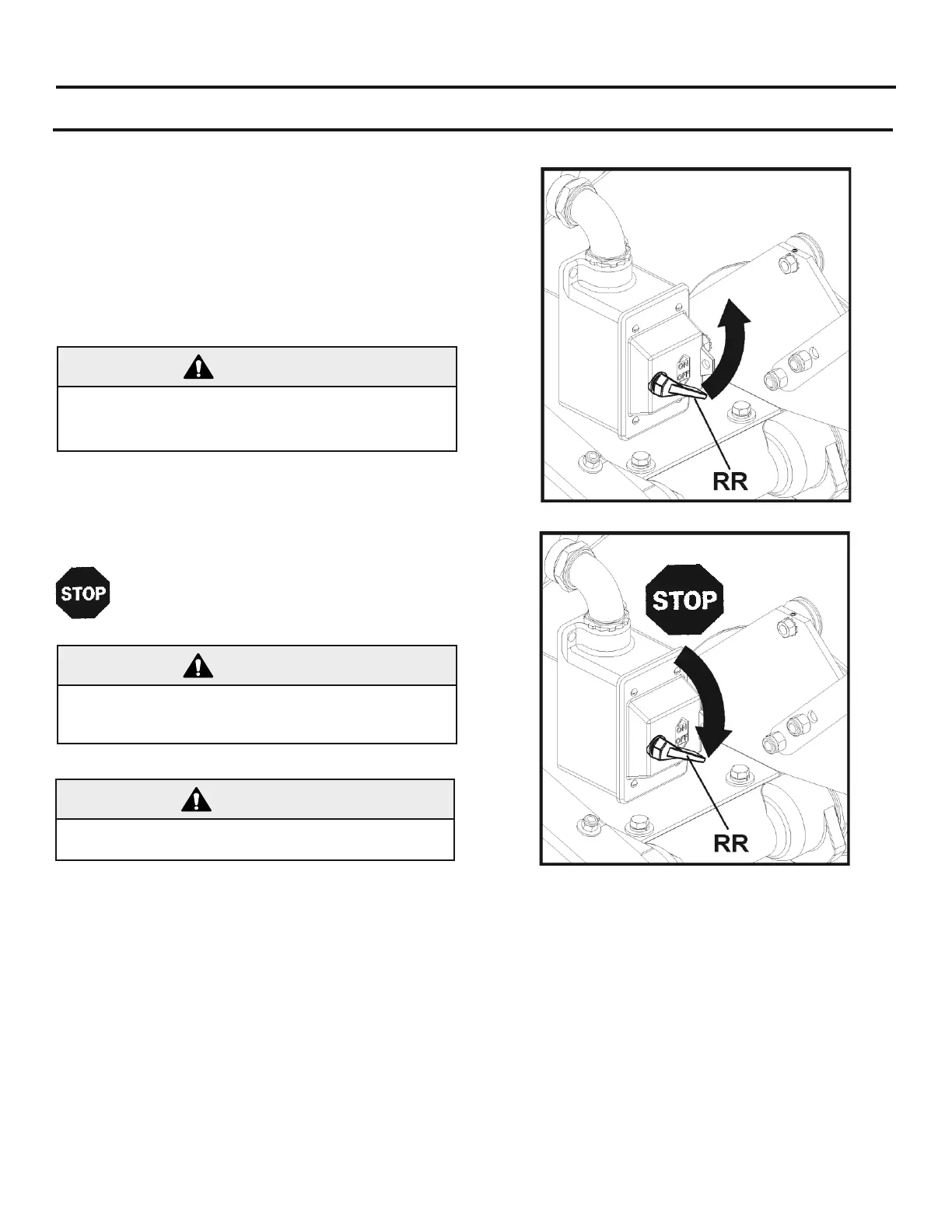
(PP) trips, turn motor Power Switch (RR) to OFF position. Allow motor to cool for to 0 minutes, then push
the Reset Button (PP). A click indicates that motor is reset and ready for operation. Restart motor by
turning Power Switch (RR) to ON position.
STOP Machine, and Wait for all blade movement to stop
before removing material from machine!
Stop machine by turning Power Switch (RR) to
Keep hands clear of rotating blade during operation!
READ ALL SAFETY WARNINGS before operating this
Start the electric motor by turning the Power Switch (RR)
Open the Water Valve (T) fully, and check the
water flow
Cut the material using one of the Cutting Methods de
scribed in the above section.
ALWAYS set Power Switch (RR) to OFF position BEFORE
connecting to power source! Electric motor will run if
Power Switch (RR) is in ON position.


 To Next Page