9. Factory Reset :Enter to restore factory settings
10. System Version: View version number
DAB/FM mode:
1.Short mode to dab mode , “DAB”/”FM” will be displayed on the
screen.
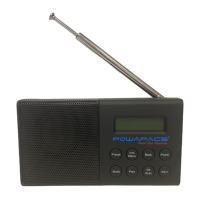
2.Put out the telescopic antenna.
3.Long press the SCAN key, the screen scan display”
scanning.........” the program will be automatically stored in a
moment.
4.Adjust vol+/- and press prev or next. You can choose the radio
station.
BT mode:
1.Short mode to BT mode , “BT” will be displayed on the screen.
2.Open the BT switch on your mobile phone and search
“QM_PC3” connect .
3.Turn on the music on the phone ,then the music can play on the
radio
Product Specification
●
This digital audio broadcasting device is fully compatible with DAB
ETSI 300 401 standard. Support ETSI TS102 563 DAB+ standard
●
FM Frequency range 87.5-108MHz
●
DAB Frequency range 170-240MHz
●
Receiver sensitivity -99dBm
●
Bluetooth ver: v5.0
●
Micro usb 5V DC-in
●
3.5mm Stereo Headphone Output
●
Antenna input: telescopic antenna.
●
Built in 2000ma 3.7V 18650 lithium battery
● Temperature: 0 ℃~45℃
●
Storage temperature: -20℃-70℃
Product Maintenance
◇
Don’t expose the unit to the liquid, humid or moist area as the set is
not water proof.
◇
Don’t attempt to clean this unit with chemical solvents as this might
damage the finish.
◇
Avoid extreme temperature either hot or cold, recharge under
normal temperature.
◇
Don’t touch sharp objects, which will cause scratches or damage
◇
Don’t attempt to insert any object into the body to avoid damage the
internal parts.
◇
Don’t attempt to disassemble the unit for there is not any
serviceable parts inside.
◇
If long time no use, be sure to play the unit in a dry area, avoid in a
temperature changes and dusty place.
◇
Please save after rechargeable fully when unused for a long time
(one-two month), to avoid completely discharge normally which lead
to open improperly or not rechargeable.


 To Previous Page
 Loading...