Need help?
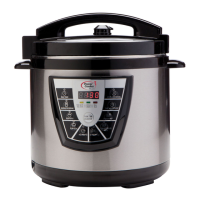
Do you have a question about the Power Cooker Plus 8QT and is the answer not in the manual?
Place the inner pot securely into the main unit before adding ingredients or starting a cooking cycle.
Add all desired ingredients into the inner pot according to your recipe instructions.
Position the lid with the handle and recessed valve at the '10:00 o'clock' mark, then rotate clockwise until it clicks.
Rotate the Pressure Valve to the lock position to ensure proper pressurization during cooking.
Adhere to your recipe for the correct cook time and settings after the unit has pressurized.
For easiest cleanup, wash Power Pressure Cooker parts immediately after cooking. Place dishwasher safe parts on the top rack.
Delays the cooking start time. It will change in 30-minute increments.
Higher pressure setting used mainly for Canning & Preserves. It can be changed in 10-minute increments.
Medium Pressure. It can be changed in 1-minute increments.
Low Pressure. It can be changed in 30-minute increments.
Medium Pressure. Pre-set time & pressure for white rice, brown rice, & wild rice. It can be changed in 1-minute increments.
Use to scroll through each button's pre-selected times - Quick, Medium, Well.
Medium Pressure. It can be changed in 1-minute increments.
Medium Pressure. It can be changed in 1-minute increments.
Medium Pressure. It can be changed in 1-minute increments.
Use to change default times on preset buttons. Scroll up only.
While the unit is in a cooking cycle, pressing the button will stop the cooking cycle.
 General
| Capacity | 8 Quarts |
|---|---|
| Material | Stainless Steel |
| Control Type | Digital |
| Functions | Pressure Cook, Slow Cook, Rice Cooker, Steamer, Warmer, Sauté |
| Safety Features | Overheat Protection |

 To Next Page