2 OM-PS-200
Sanitizers
The method of sanitizing used in the Power Soak PS-200 is a “chemical sanitizing”
method. There are a number of products on the market that work well in this
application. A chemical sales representative should assist in selecting the proper
sanitizer. Ask the cleaning chemical provider to determine detergent concentration,
sanitizer “parts per million” (ppm) and sanitizer submersion times to meet local health
codes.
Power Soak Service Assistance
If a chemical sales representative is having difficulty selecting a detergent or sanitizer,
or if there are poor results with the chemicals that a representative has recommended,
please contact Unified Brands at 888-994-7636.
CONTROL FEATURES
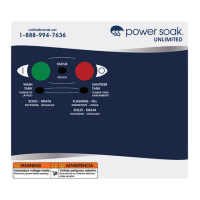
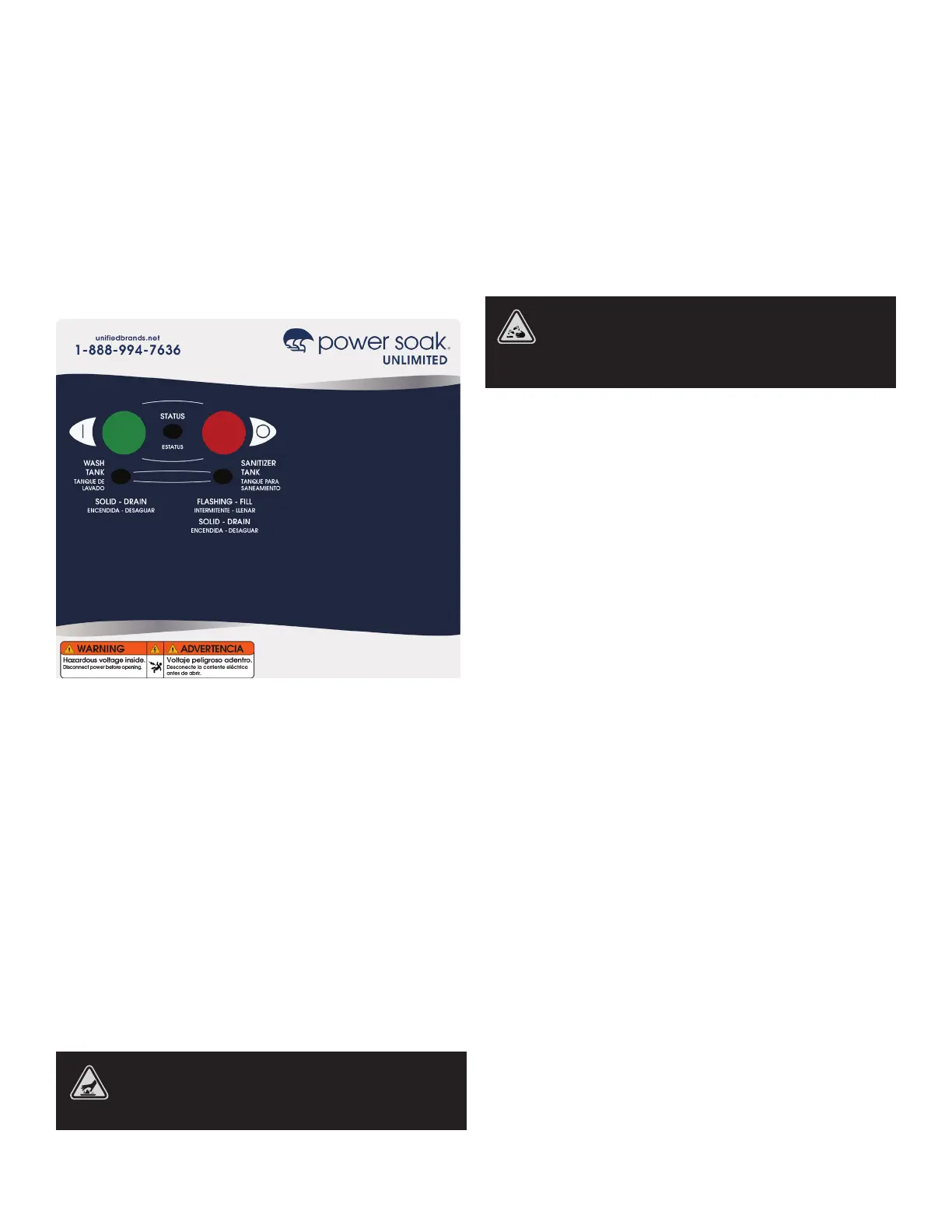
The illustration shows the PS-200 Control Panel Overlay. The overlay is adhered to the
front of the control panel box and contains buttons and lights that are imbedded into
the overlay. Communication with the UPM is accomplished with cables that extend
from the back side of the overlay.
CONTROL PANEL & FEATURES
Green Button Starts the washing action. If cycle does not start, refer to trouble
shooting section.
Red Button Stops the wash action.
Green Light Slow Flashing – “POWER ON” – The Power Soak system is energized and
ready to fill. Solid Illumination – “RUNNING” – wash sink is full, system is running. (Will
not become solid until after start button is pushed.)
Blue Light Solid Illumination – “CHANGE WASH WATER” – after a standard four hour
wash cycle, the system becomes disabled and the wash sink must be drained and
refilled.
Red Light Slow Flashing – “FILL SANITIZER TANK”. Solid Illumination – “CHANGE
SANITIZER SOLUTION” – after two hours, the sanitizer sink must be drained and
refilled.
PREPARING THE MACHINE
BE SURE TO ADJUST KNOBS ON THE SPRAY RINSE AND ALL WATER
FAUCETS SO THAT THE WATER TEMPERATURE IS BELOW 120°F (49°C).
TEMPERATURES HIGHER THAN WHAT IS RECOMMENDED CAN CAUSE
SCALDING OR BURNS IF CONTACT IS MADE WITH A PERSON’S SKIN.
Filling the Machine
The STATUS light will flash indicating that the unit is powered and waiting to be
started. At the beginning of each day or shift, fill the tanks with water that is metered
to approximately the correct operating temperatures:
• Wash tank (115ºF / 48ºC)
• Rinse tank (75ºF / 24ºC)
• Sanitizer tank (75ºF / 24ºC)
All tanks should be filled to, but not above, the “waterline” marks. If your wash sink
has dual waterlines, fill to the upper waterline when washing sheet pans held in racks
and to the lower waterline for all other purposes. If your wash sink has dual waterlines,
fill to the upper waterline when washing sheet pans held in racks and to the lower
waterline for all other purposes.
CHEMICALS THAT ARE SAFE TO TOUCH WHEN MIXED WITH WATER CAN
BE DANGEROUS TO TOUCH IN THE CONCENTRATED FORM. USE CHEMICAL
RESISTANT GLOVES AND PROTECTIVE CLOTHING WHEN HANDLING
CONCENTRATED CHEMICALS. CONSULT THE MANUFACTURERS LABEL FOR
HANDLING AND SAFETY INFORMATION.
Rinse Water
Submersion Rinsing If the wares are to be rinsed by submersing them in fresh water,
fill the rinse tank (middle tank) with water that is approximately room temperature,
75°F/24°C. The hot and cold taps on the faucet are used to adjust the water to the
appropriate temperature. Drain and refill this tank as necessary to maintain clean
water in the tank.
Spray Rinsing When using the faucet or hand held spray nozzle to rinse the wares,
leave the wash tank empty, with the drain open.
Sanitizer Water
Direct Dispensing Fill the sanitizing tank using the faucet with water that is
approximately 75°F / 24°C prior to adding chemicals. The hot and cold taps on the
faucet are used to adjust the water to the appropriate temperature. When the tank
is full, the chemical can be manually added to the water. Never place concentrated
chemicals into an empty tank.
Manually Adding Detergents & Sanitizers
After the tanks have been filled with water, add the proper amount of detergent and
sanitizer. The detergent goes into the wash tank (the tank with the water jets) and the
sanitizer goes into the sanitizer tank (the tank furthest from the wash tank).
It is important to add the proper amount of chemicals to each tank. The amount to
be used should be provided by the chemical supplier. Do not add the detergent or
sanitizer to the tank prior to or during filling.
Most detergents and sanitizers lose effectiveness as time goes on. Some local health
departments have requirements limiting the amount of time water can be used for
cleaning before the water must be changed. Most chemical companies recommend
changing wash water after a certain time frame. Those times vary, but are generally
around two to four hours. Check with the chemical provider for recommended time
for effective use.
Sanitizing solutions also have a limited safe use period. Check with the chemical
provider on how often to check and or replace the sanitizing fluid.
Acceptable Normal Wash Chemicals:
• Chemicals must be safe for contact with human skin.
• The detergent must be low foaming, not excessively caustic and metal/aluminum-
safe are recommended.
• Cleaning solutions need to be selected for the type materials to be cleaned.
• Most standard sanitizers can be used with the PS-200, however; consult with a
chemical provider to be sure the chemical that is selected is a good choice.


 To Next Page
 Loading...