Rehabilitaon Centre for Children | Power Wheels® Wild Thing™ Early Powered Mobility
Quick Guide
2 Version 1.2
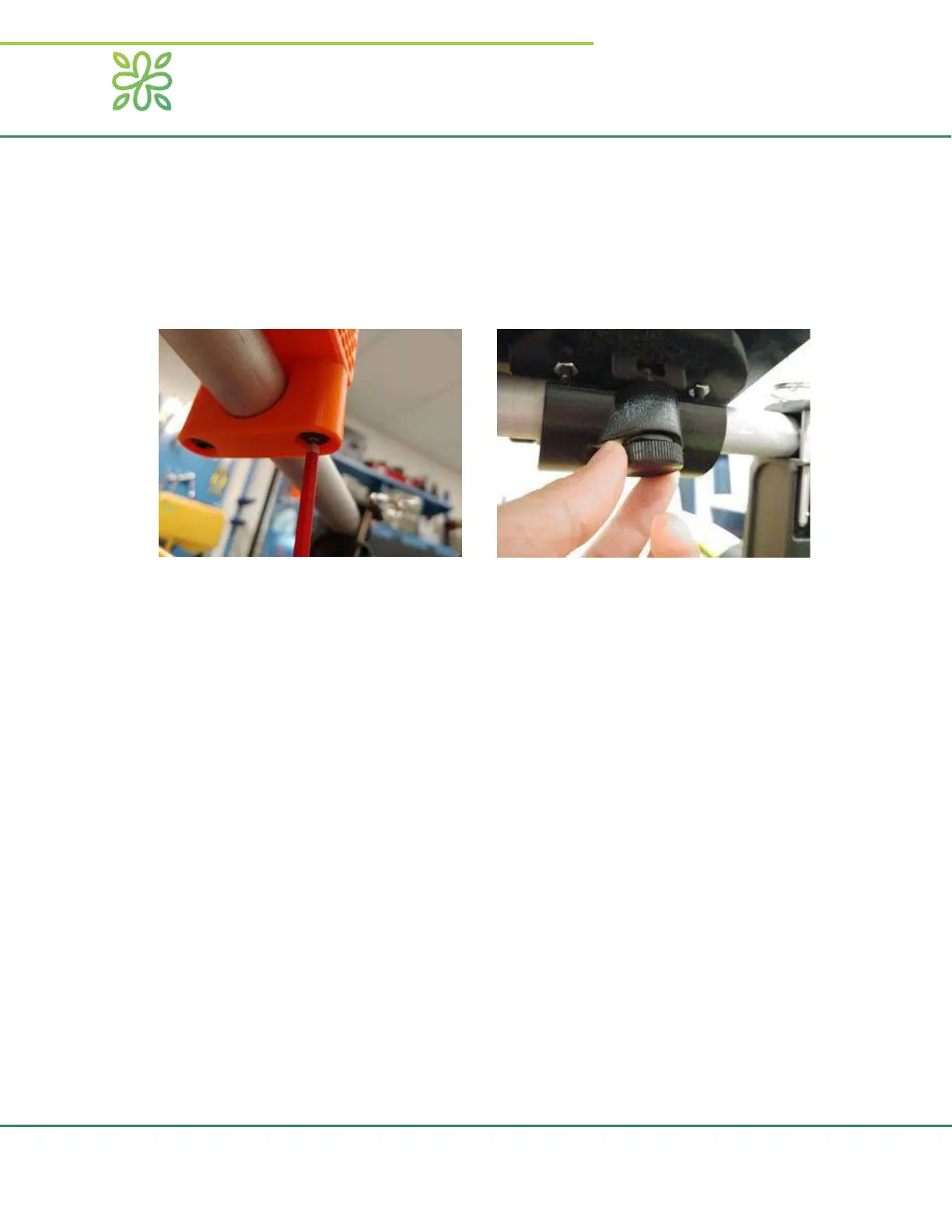
Adjusng the Interface
The posion of the interface will usually be adjusted by an RCC therapist before taking the Wild
Thing home, but it may be necessary to readjust the interface if it moves. The joysck has four
cap screws on the boom side that can be adjusted with a No. 4 Allen key. The buon interface
has two thumb screws that can be adjusted by hand. Always follow the direcons from the
therapist on where the interface should be for your child.
Geng the Wild Thing Ready to Move
Ensure the driver is seated comfortably and strapped in if necessary. If using a harnessed seat,
ensure that the seat is securely strapped to the Wild Thing frame. Once your child is ready,
insert the safety switch lanyard into the switch to acvate the controls.
Operang the Wild Thing
Never operate the Wild Thing in an area with a stairwell or steep drop offs.
Never operate the Wild Thing in rain or snow (damp grass is acceptable).
Always be ready to pull the emergency stop cord.
Be aware that the Wild Thing can damage indoor flooring.
After approximately 5 minutes of no input from the interface, the Wild Thing will automatically
enter “sleep” mode. To “wake up” the wild thing, reset the safety switch by removing the
lanyard and reinserting it. Do not move the joystick or press any buttons during wake up. Doing
so could cause the safety checks to fail. Make sure to unplug the battery after you are done
using it for the day.
Charging the Wild Thing
Remove the baery by liing the baery up and out of the holder. Plug the charger into the wall and into
the baery with the baery right-side up for approximately 14 hours. Do not charge for more than 30
hours.


 To Next Page
 Loading...