• The power inverter should only
be
connected to a 12V
battery or
power
supply
. Do not attempt to connect the
inverter to
any
other
power
source, including an AC power
source. Connecting to a 6V or 16V battery will cause
damage
to the inverter.
• Do not use the inverter with a
product
that draws a higher
wattage than the inverter can power, as this may cause
damage
to the inverter and product.
FEATURES
0 ON/OFF Switch
Press and hold for 3 seconds to turn the inverter on and off.
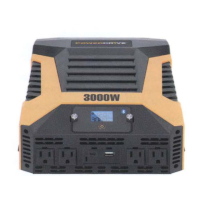
8 120V Standard AC Outlets (x4)
8 USB-A, USB-C
®,
with
QC
3.0 Tech
9 Removable Remote Control Panel with LCD Screen
0 Positive Battery Cable Terminal (Red)
0 Negative Battery Cable Terminal (Black)
8 Ground Wire
(;) High-speed Cooling Fans (x2)
To keep the inverter cool, the fans turn on
depending
on
temperature and load
of
the inverter. When the inverter is
turned off, whether the fans run or not will
depend
on the
temperature of the inverter.
02


 To Next Page