10 GB
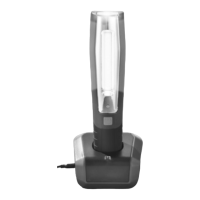
To charge the product via the charging station, plug the male connector of the mains adaptor
10
into
the female connector (charging station)
9
. Then place the product into the charging station to
charge the product (see Fig. B).
Note: The product is fitted with an overcharge protection circuit. Despite this, you should disconnect
the LED inspection lamp from the power supply after the charging process is complete.
Note: During charging, the charging indicator (LED work light)
3
lights up red. When charging is
complete, the charging indicator (LED work light)
3
lights up green. When the charging indicator
(LED work light)
3
is green, pull the mains adaptor
10
out of the socket. Disconnect the mains
adaptor
10
from the product to prevent the rechargeable battery from discharging.
Q
Use
CAUTION – RISK OF ACCIDENT! Always store and secure the product in such a way that
there is no risk of injury from or damage to the product, even during full braking.
Note: The product features magnets
6
on the back. Ensure the metallic surface is sufficiently magnet-
isable to carry the weight of the product, before you use the magnets
6
.
Using the product without a power connection
Fully charge the product as described in the section “Charging the product“.
Press the ON / OFF switch
4
to turn the inspection light
2
on.
Press the ON / OFF switch
4
again to turn the torch
1
on and the inspection light
2
will turn off
at the same time.
Press the ON / OFF switch
4
the third time, the entire product will be switched off.
Corded use of the product
Use the included mains adaptor
10
for this purpose. Using the respective mains adaptor
10
, connect
the product to a suitable power supply.
Then proceed as described under „Using the product without a power connection“ (starting with step 2).
NOTE: The product can only be charged whilst off!
Q
Fixing the product
The product can be used in 2 ways without having to hold it in your hand:
Hold the magnets
6
against a metallic magnetic surface. The product remains in this position.
Fold out the hook
5
to suspend the product from a suitable suspension point. The hook
5
can be
turned through 360 degree.
Mounting the charging station (see Fig. C)
Note: You will need an electric drill.


 To Next Page
 Loading...