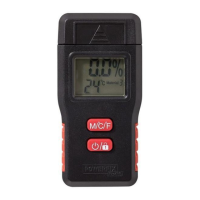
14 GB
the button
4
to freeze the result on the
display. The display will then also show the
lock symbol.
Press the button
4
again to take an-
other measurement.
If you have completed your measurement,
switch the moisture measuring product off by
pressing holding the
button
4
for more
than 5 seconds.
Note: The moisture measuring product
switches itself off automatically if the product
is not used for 60 seconds approximately.
Battery display
If the battery charge status is low, the low battery
indicator
11
appears on the display
8
. Please
note that while the batteries are low, the meas-
ured values will be false or inaccurate. Replace
the batteries as quickly as possible if this display
appears. The battery change is described in the
section “Inserting / changing the batteries“.
Temperature display
You can change the temperature display between
°C and °F by holding down M / °C / °F button
3
for approximately 5 seconds.
Reset function
A calibration can be performed if 0.0 % is not
shown on the display right after turn ON the
product. For this, open the battery compartment


 To Next Page
 Loading...