
 Need help?
Do you have a question about the Powerley Thermostat and is the answer not in the manual?
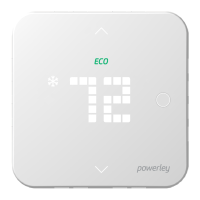
How to activate the thermostat display and view current status.
Procedure to cycle through Heat, Cool, and Off modes.
Method to modify temperature settings using up/down arrows.
Procedure to safely de-energize the HVAC system before installation.
Document existing thermostat wiring before removal for reference.
Guidelines for selecting an optimal indoor mounting location for the thermostat.
Instructions for attaching the thermostat wallplate to the wall.
Steps for connecting wires to the thermostat terminals for conventional systems.
Guide to configuring the heat pump jumper settings.
Process of securing the thermostat onto the installed wallplate.
Instruction to restore power to the HVAC system after thermostat installation.
Initiate the thermostat setup process using the companion app.
Steps to connect the thermostat to the Z-Wave network via the Energy Bridge.
Guidance for resolving connectivity issues and performing resets.
 General
| Connectivity | Wi-Fi |
|---|---|
| Energy Monitoring | Yes |
| Voice Control | Yes |
| Geofencing | Yes |
| Features | Energy Monitoring |
| Compatibility | Amazon Alexa, Google Assistant |
| Control | Voice |

 To Next Page