3
2. PRODUCT OPERATION
INSTRUCTIONS
2.1 Power on/off
• How to turn it on?: In power-off status, press
and hold the power on button 2s-3s, the blue light
will be on around 2 seconds, then blue and red
light will blink alternately, the headphone enters into
pairing mode.
• How to turn it off?: In power-on status, press
and hold the power off button 3s, the indicator
light will goes off then.
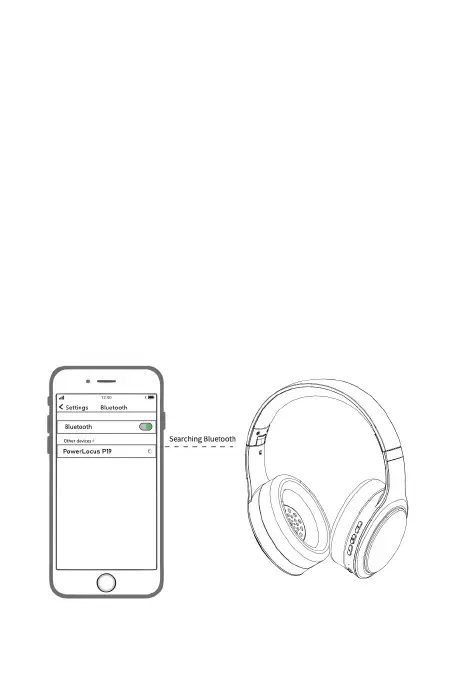
2.2 Pairing
When the headphone is turned on and the LED is
Blue/Red, open the Bluetooth menu of your device
(Phone, Tablet, PC etc.) and select the appearing
“PowerLocus P19”. Once paired successfully, the
blue indicator blinks every 6 seconds.


 To Next Page