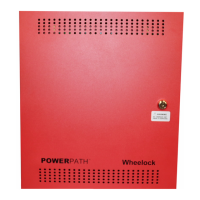
P84905-002 A Sheet 7 of 37
2.0 INSTALLATION INSTRUCTIONS:
NOTE: The POWERPATH NAC Extender Power Supply shall be installed in accordance with the National Fire
Protection Association (NFPA), National Electrical Code (NEC) and all applicable state and local regulations.
2.1 UNPACKING
The POWERPATH was carefully checked before leaving the factory. Inspect shipping container and unit
carefully for indications of improper handling. If damage is detected, make an immediate claim to the carrier.
Remove the POWERPATH from the shipping container and check that the door lock keys, door lock, and
battery connection wires are inside. Make sure the printed circuit boards are within their proper packaging of
the enclosure.
2.2 MOUNTING
TO REDUCE THE RISK OF FIRE OR ELECTRIC SHOCK, DO NOT EXPOSE THIS UNIT
TO RAIN OR MOISTURE.
This product is not intended for use in hazardous locations as defined by the National
Electrical Code (NEC) and by the National Fire Protection Association (NFPA).
A Mount the POWERPATH in the desired location using the mounting dimensions in Figure 2.
B. Mount the panel in an indoor and dry area that does not exceed a temperature range of 32 F to 120 F (0
C to 49 C) and a humidity equal to 10% to 85% at 86 F (30 C) non-condensing.
NOTE: When mounting on interior walls, use proper screw anchors in plaster. When mounting to concrete,
especially when moisture is expected, first attach a piece of ¾ inch plywood to the concrete surface.
Attach the POWERPATH to the plywood.
C. Remove desired knockouts and mount conduit and conduit fittings to the enclosure.


 To Next Page