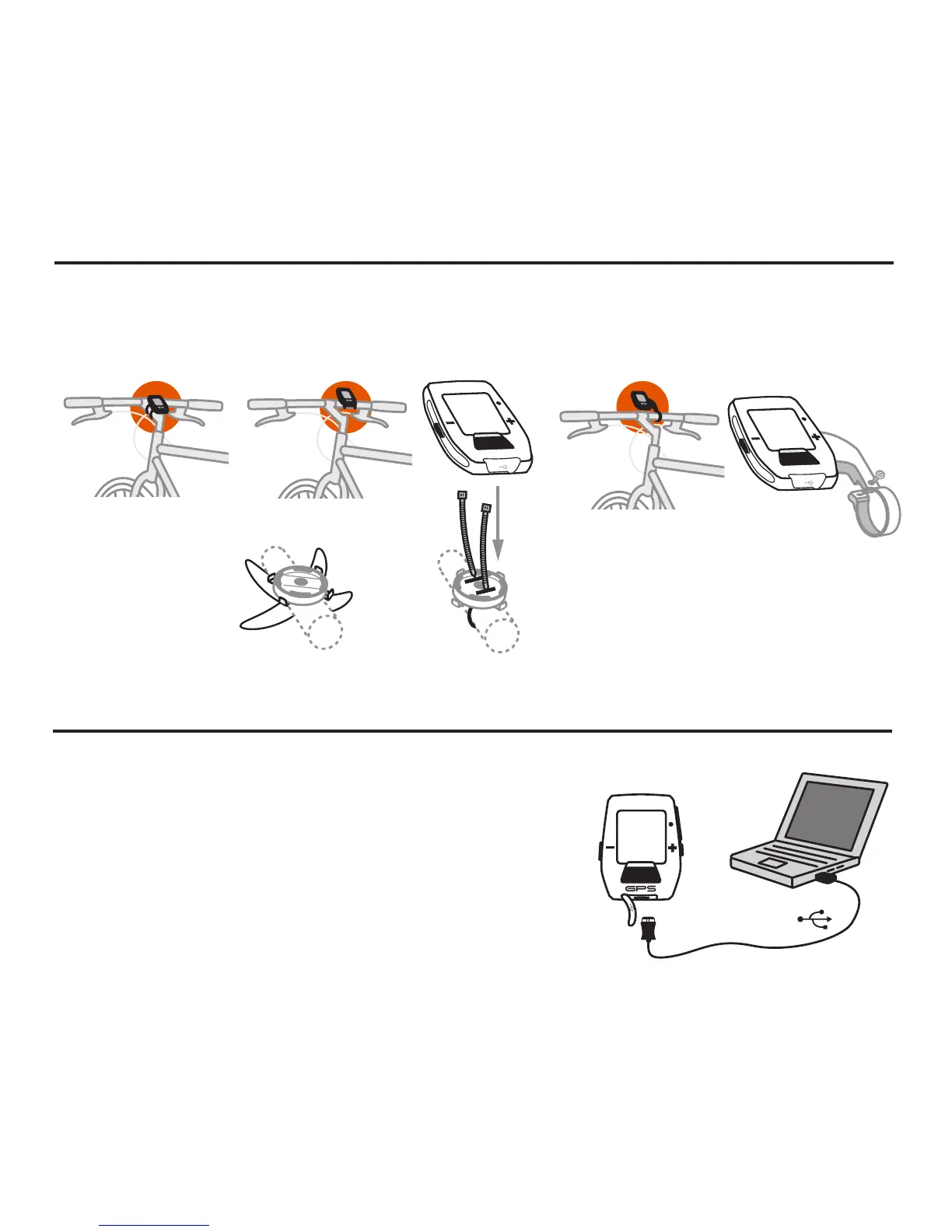
CHARGING
The Joule GPS is powered by a high-capacity rechargeable
battery. To charge the battery, plug into a computer or AC wall
adapter (#7060 not included). Typical battery charge lasts
approximately 20 hours of operation.
Should the battery become completely discharged (no partial
charge remaining), plug the Joule GPS into a computer or AC wall
adapter, press the reset button on the back panel of the Joule
GPS, and the charging process will begin.
Joule GPS User Guide page 5
Micro-USB
USB
INT
INSTALLATION
Installing the PowerTap Joule GPS
OUT-FRONT MOUNT
INT
INT
O-Rings: Crisscross under
stem/handlebar, latch on hooks
OR
Zip tie around stem,
through slots
STEM/HANDLEBAR MOUNT
INT
INT
CHAPTER 1: STARTING OUT
INT


 To Next Page