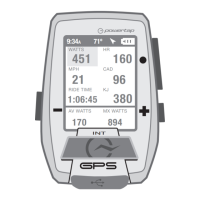
WATTS
451 160
21 96
1:06:45
HR
MPH CAD
170 894
AV WATTS MX WATTS
RIDE TIME KJ
9:34
A
71º
380
INT
Joule GPS User Guide page 7
more BUTTON and DASHBOARD DETAIL
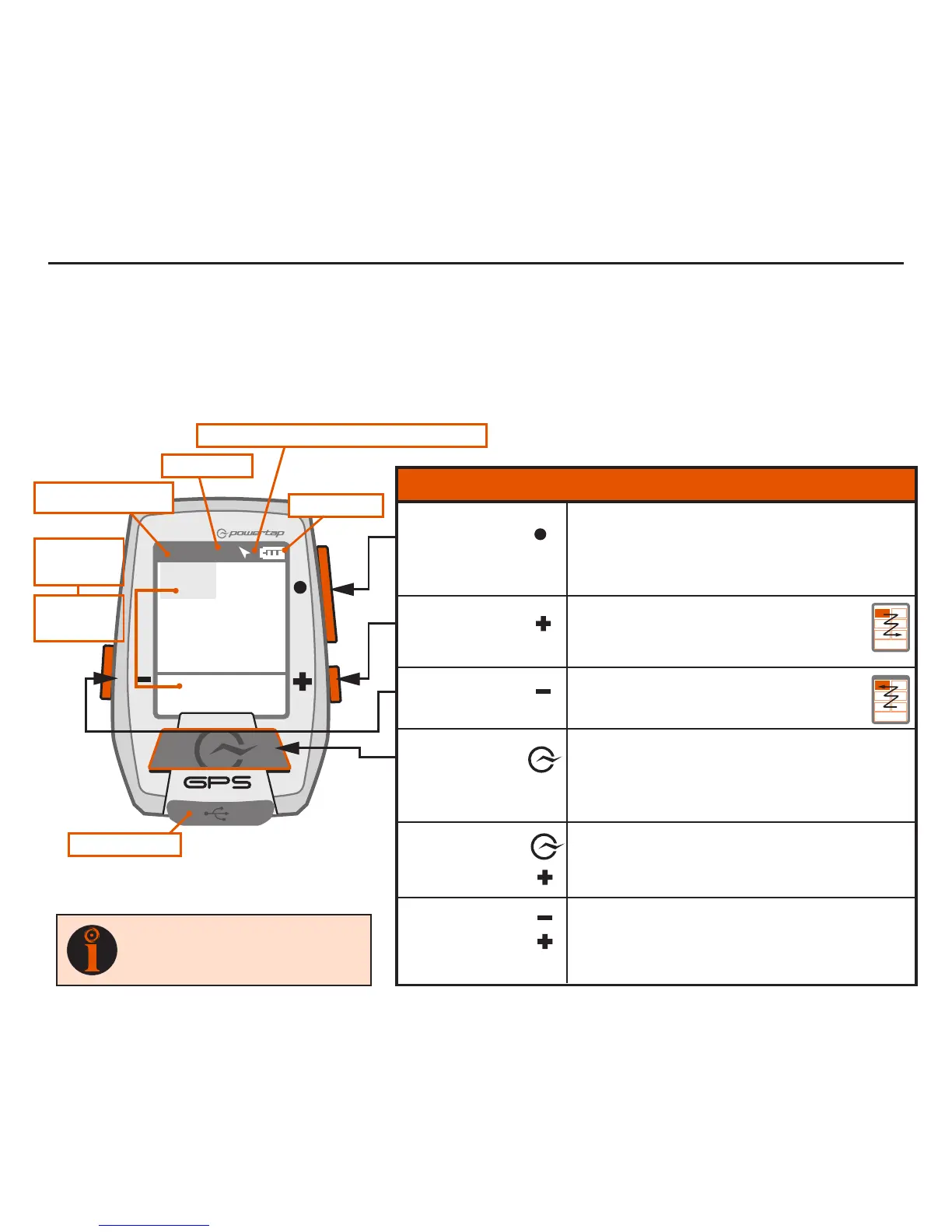
There are three buttons on the sides of the Joule GPS and one large button below the screen. The
screen is divided into 3 display areas. The Title Bar, displays time, temperature, compass, and battery
level. The large middle section displays user-selected metrics and can be configured to show 3 to 6
windows. The lower section shows complimentary metrics associated with the highlighted metric.
CHAPTER 2: JOULE GPS OVERVIEW & SETUP
Highlighted
Metric
Complimentary
Metrics
Micro-USB port
Ride Time or Clock
Temperature
North Arrow and GPS Signal Lock Indicator
Battery Level
[ENTER] button
* Press once to advance through Dashboards
* Hold for 2 seconds - Go to Main Menu
* In Menus, press once to select menu item
* In Menus, hold 2 seconds to return to Dashboard
* Shifts selected metric or “highlight box”
to the right and down
* Hold for 3 seconds to begin metric rotation
* Shifts selected metric or “highlight box”
to the left and up
* Press to mark intervals
* Hold for 2 seconds to display Interval view
* Hold for 2 seconds to display Ride view
* In Menus, press once to return to previous screen
* Press together and hold for 3 seconds to put the
Joule GPS to sleep
* Press together and hold for 2 seconds to “find”
sensors that may have been lost or were not
awake when the Joule powered up.
[PLUS] button
[MINUS] button
[PLUS] button
[MINUS] button
[INTERVAL] button
[INTERVAL] button
BUTTONS FUNCTION
TIP
: See Appendix E for all button
combinations, short cuts and quick
links.
[PLUS] button


 To Next Page