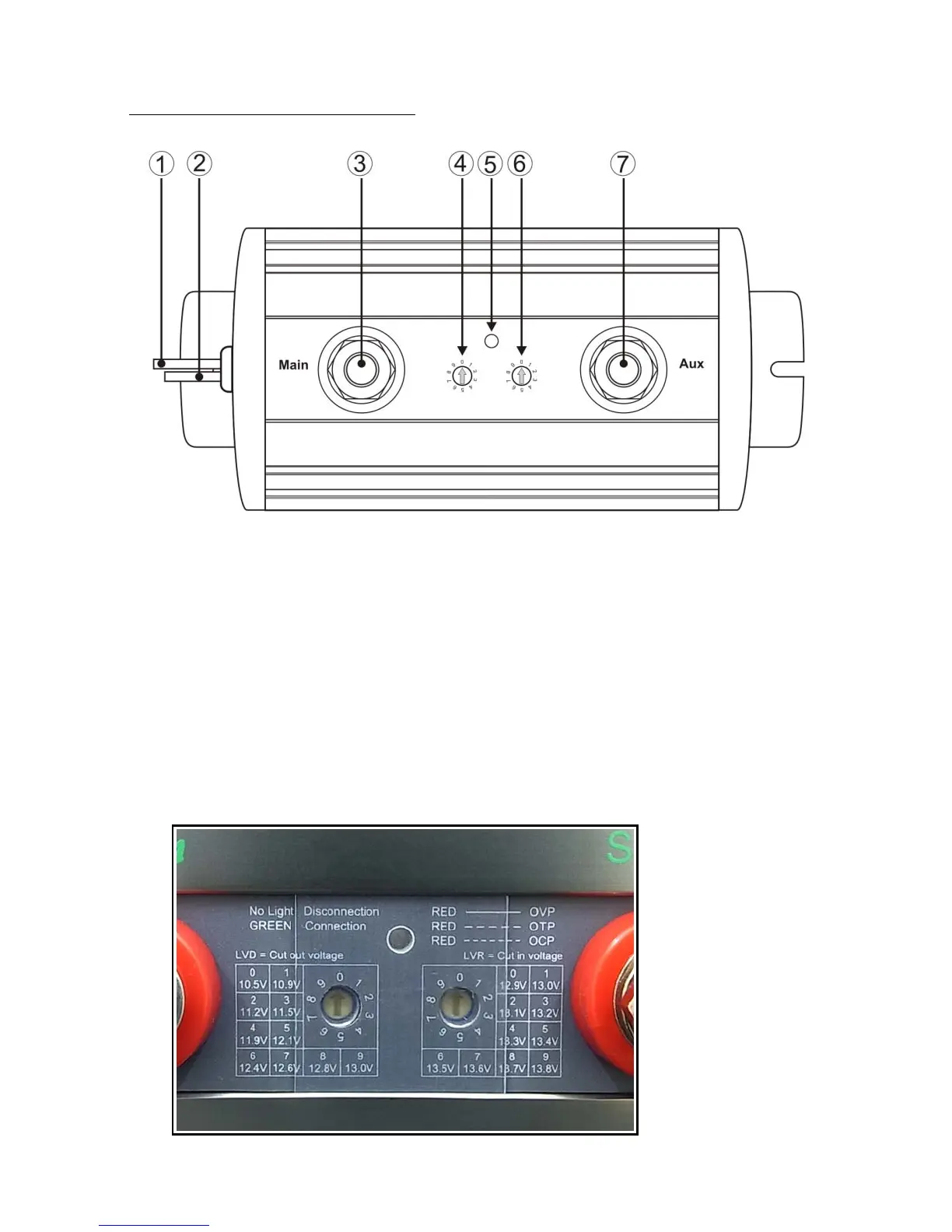
2. Explanation of panel
1. Black Wire for connection to Ground or Negative of battery
2. Yellow Wire when connected to a positive(+) battery terminal, it activate
Connection of Main and Aux terminal. Isolate this wire when not in use.
3. Main Terminal for connection to the Positive battery terminal of main (starting)
battery.
4. Disconnect Voltage Selector LVD
5. Dual colour LED Indicator:
A. No light = Disconnect; Green light = Connect
B. Red light solid = Over Voltage Protection for Main Terminal
Red light slow flash = Over Temperature Protection
Red light fast flash = Over Current Protection
6. Connect Voltage Selector LVR
7. Auxiliary Terminal for second battery or load



 To Next Page