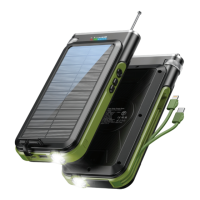
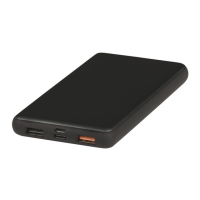
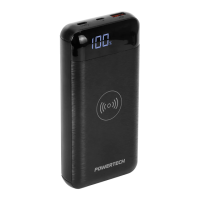
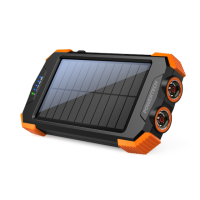
The POWERTECH MB3830 is a robust and versatile Solar Power Bank designed for charging various electronic devices, featuring both wireless Qi and solar recharging capabilities. This portable power bank is built with an exclusive, stylish, and rugged case, making it suitable for outdoor use and demanding environments.
Function Description:
The primary function of the MB3830 is to provide portable power for mobile phones and other devices. It supports multiple charging methods, including wired USB output, wireless Qi charging, and self-recharging via solar panel or USB input. The device is equipped with a flashlight and a compass, enhancing its utility for outdoor activities.
Important Technical Specifications:
- Battery Capacity: 20,000mAh
- Battery Type: Polymer Lithium
- Micro USB Input: DC 5V/2.4A 9V/2A
- Type C Quick Charge Input/Output: DC 5V/2.4A 9V/2A
- USB Quick Charge Output 1: DC 5V/3A 9V/2A 12V/1.5A
- USB Quick Charge Output 2: DC 5V/3A
- Wireless Charging Output: 5W / 7.5W / 10W
- Solar Panel Output: 300mA (under 25000LUX)
- Product Weight: 500g
- Suggested Working/Storage Temperature: -20°C to +60°C (-4°F to +140°F)
Usage Features:
- Power On/Off: Press the power switch to turn on the LED battery indicators and wireless charging function. The power bank automatically shuts down in 30 seconds if no devices are connected.
- Charging the Power Bank:
- Solar Supply: Place the power bank under direct sunlight. The built-in lithium battery will automatically charge. Direct exposure to sunlight is recommended. For optimal solar charging and to prevent battery swelling, it is recommended to hang the power bank in a ventilated environment.
- Power Supply (Wired): Connect a TYPE-C or USB input port to a wall/car adapter USB port using a cable. Blue LED indicators will flicker during charging, and all indicators will be solid blue when fully charged. QC3.0/PD wall/car adapters can provide quick charging.
- Charging Mobile Phones or Other Devices:
- Cable Charging: Turn on the power switch. Connect the device to the power bank's USB ports using a cable. Fast charging is supported via the QC 3.0 USB Output port and the Type-C Bidirectional PD Port for compatible devices.
- Wireless Charging: Turn on the power switch, and the wireless charging indicator will illuminate. Place a Qi-enabled mobile phone on the wireless charging pad. Charging will begin automatically. For effective wireless charging, ensure the phone case is not made of metal and has a thickness of less than 6 mm.
- Flashlight Function: Long press the power button for at least 3 seconds to turn the flashlight on or off. Short press the power button a fourth time to turn off the flashlight if it's already on.
- Indicators:
- Battery Status Indicator: Blue LEDs indicate the battery charge level.
- Solar Charging Indicator: Indicates when the solar panel is actively charging.
- Wireless Charging Indicator:
- Red: Device Detected (Foreign Object Detection).
- Blue: Wireless Charging Standby.
- Flashing Blue: 5W/7.5W/10W Wireless Charging in progress.
Maintenance Features and Safety Instructions:
- General Safety:
- Read the User Manual carefully before use.
- Close supervision is needed when used near children.
- Do not strike, hit, or insert foreign objects into the power bank or its ports.
- Avoid exposure to heavy rain/snow or immersion in water.
- Do not disassemble or reassemble the power bank without manufacturer authorization.
- Discontinue use immediately if the power bank shows signs of damage, bulging, swelling, or leakage.
- Temperature Guidelines:
- Do not expose the power bank to fire or extreme temperatures above 80°C (176°F), as this may cause battery swelling or explosion.
- Avoid leaving the power bank inside a parked car in hot weather, as internal temperatures can exceed 80°C (176°F).
- Do not leave the power bank on concrete, metal, or wooden surfaces under strong sunlight for solar charging, as surface temperatures can reach above 80°C (176°F).
- Cleaning: Keep the device dry and away from fire. Do not use chemicals to clean the power bank.
- Storage: If not used for a long time, charge the power bank at least every three months to maintain battery health.
- Usage Restrictions:
- This power bank is designed for 5V/2.4A 9V/2A devices. Using devices beyond these specifications may cause malfunction.
- Do not charge mobile phones while the power bank itself is being charged.
- Do not use the power bank until it is fully charged.

 Need help?
 General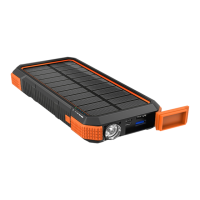

 To Next Page