EasyManua.ls Logo

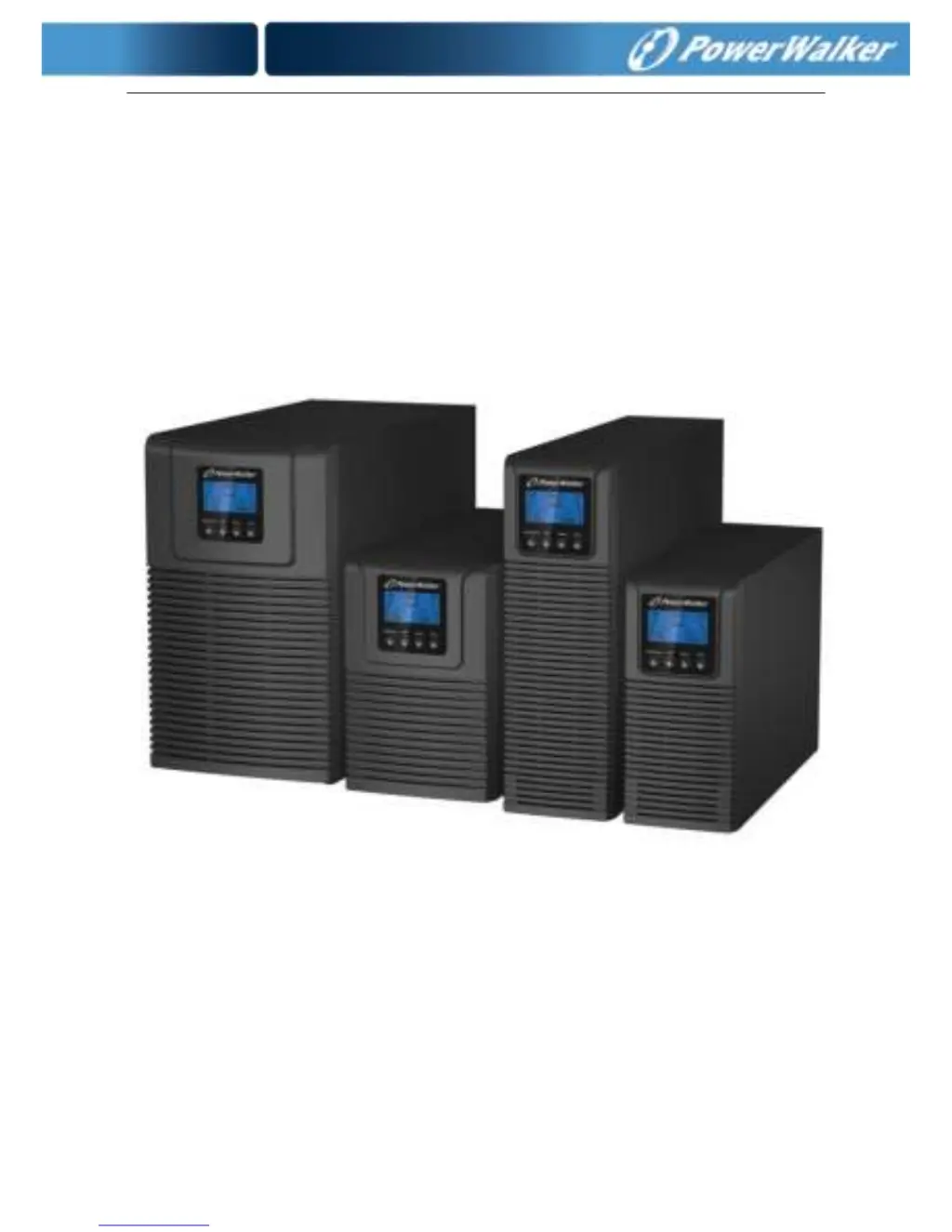
PowerWalker VFI 1000 TG - User Manual

PowerWalker VFI 1000 TG
41 pages
Print Icon
To Next Page IconTo Next Page
Loading...
USER MANUAL
PowerWalker
VFI 1000-2000-3000 TG
VFI 1000-2000-3000 TGS

Questions and Answers

  • M
    Michele ClaytonAug 19, 2025
    Why is the emergency supply period shorter than nominal value on my PowerWalker UPS?
    • A
      Anthony EllisonAug 19, 2025
      If the emergency supply period of your PowerWalker UPS is shorter than expected, there are a couple of potential causes. First, the batteries may not be fully charged; in this case, allow the batteries to charge fully. Second, the batteries themselves might be defective. If charging doesn't resolve the issue, consider replacing the batteries or consult with your dealer.
  • C
    Christopher BatesAug 22, 2025
    What to do if my PowerWalker UPS has no indication, even when connected to mains power?
    • D
      debra26Aug 22, 2025
      If your PowerWalker UPS shows no indication and emits no warning tone even when connected to the mains power supply, it could be due to a couple of reasons. First, there might be no input voltage. Check the building wiring, socket outlet, and input cable. Second, the breaker might be open; in this case, check the breaker.
  • H
    heatherhessAug 23, 2025
    How to fix no communication data on PowerWalker UPS?
    • L
      Lori HeathAug 25, 2025
      If you are experiencing no communication data with your PowerWalker UPS, it could be due to the following reasons: * The RS232 wire is not matched, so check or change the RS232 wire. * The USB wire is not matched, so check or change the USB wire.
  • M
    Melinda MyersAug 26, 2025
    What to do if PowerWalker VFI 1000 TG is overloaded?
    • B
      Bruce SchmidtAug 26, 2025
      If your PowerWalker Portable Generator is overloaded, inspect the connected loads. Remove any non-critical loads and check for failed loads.
  • E
    edwardrobertsAug 28, 2025
    What to do if the PowerWalker VFI 1000 TG Portable Generator indicates 'Inverter short'?
    • V
      Vickie CobbAug 28, 2025
      If the PowerWalker Portable Generator displays an 'Inverter short' error, remove all loads and turn off the UPS. Check the output of the UPS and loads for a short circuit. Ensure the short circuit is resolved and that the UPS has no internal faults before turning it on again.
  • C
    Crystal VillegasAug 30, 2025
    Why is my PowerWalker Portable Generator emergency supply period shorter than nominal?
    • J
      Jeffrey MorrisAug 30, 2025
      The emergency supply period of your PowerWalker Portable Generator might be shorter than expected because the batteries are not fully charged or the batteries are defective. To resolve this, charge the batteries fully. If the issue persists, consider replacing the batteries or consulting with your dealer.
  • C
    Charles BrownSep 1, 2025
    What to do if my PowerWalker Portable Generator displays 'Over temperature fault'?
    • C
      Carrie BakerSep 1, 2025
      If your PowerWalker Portable Generator is showing an over temperature fault, check the ventilation around the UPS. Also, check the ambient temperature and ensure there is adequate ventilation.
  • H
    hollysmithSep 3, 2025
    How to troubleshoot high inverter temperature on PowerWalker VFI 1000 TG?
    • I
      iloganSep 3, 2025
      To troubleshoot a high inverter temperature on your PowerWalker Portable Generator, check the ventilation of the UPS and the ambient temperature inside.
  • S
    Stephanie HallSep 5, 2025
    What to do if my PowerWalker Portable Generator displays 'Site fail'?
    • J
      Justin MarquezSep 6, 2025
      If your PowerWalker Portable Generator displays 'Site fail', it means the phase and neutral conductors at the input of the UPS system are reversed. Rotate the mains power socket by 180° or correctly connect the UPS system.
  • H
    Hannah Matthews MDSep 8, 2025
    What to do if my PowerWalker Portable Generator displays 'Inner Ambient temperature high'?
    • G
      gonzalezkaylaSep 8, 2025
      If your PowerWalker Portable Generator displays 'Inner Ambient temperature high', check the environment ventilation.

PowerWalker VFI 1000 TG Specifications

General IconGeneral
BrandPowerWalker
ModelVFI 1000 TG
CategoryPortable Generator
LanguageEnglish

Related product manuals