3
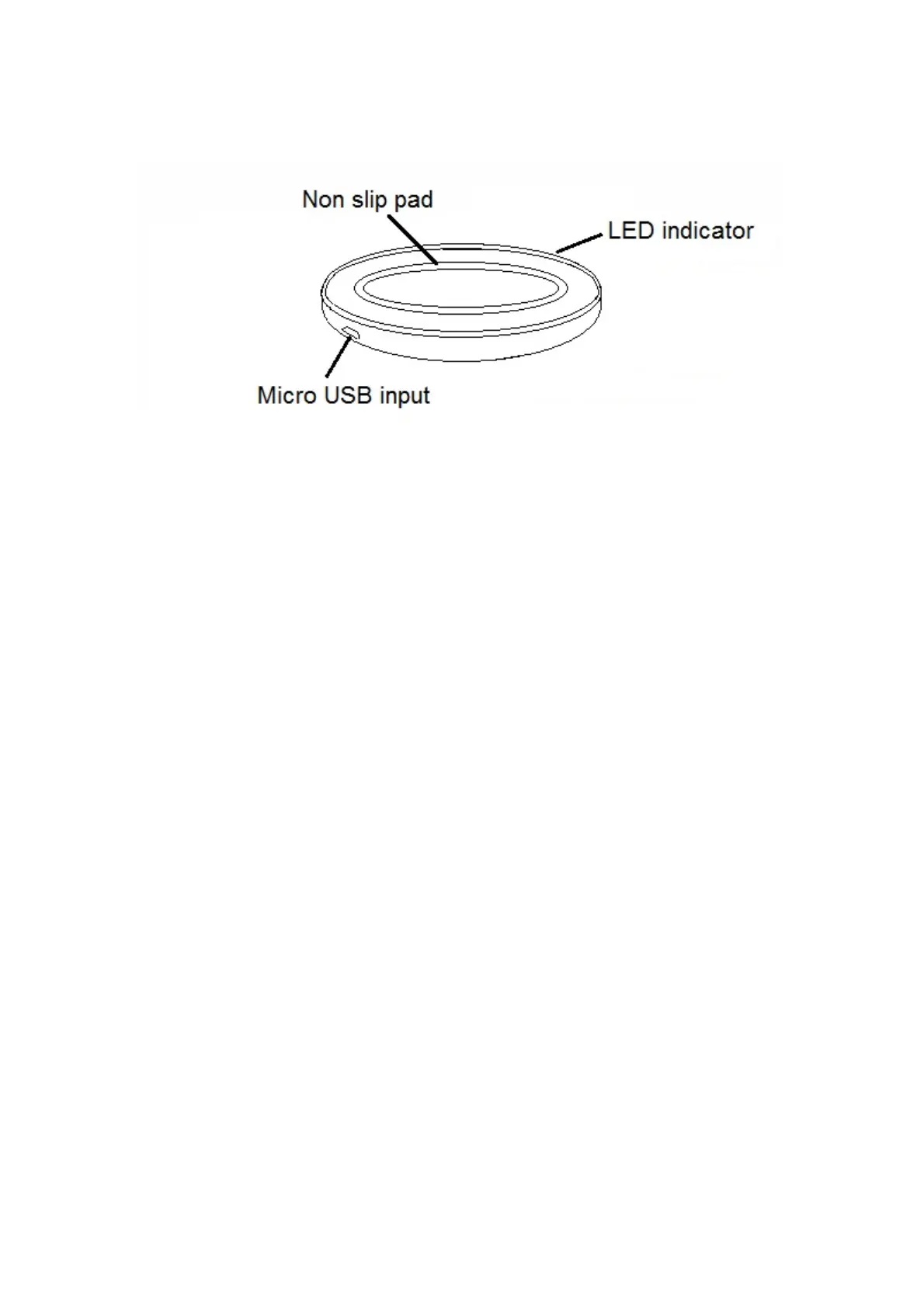
DescriptionofParts:
INSTRUCTIONSFORUSE
Connect the USB cable (included) to a power outlet rated DC 5V/2A, and the
Micro USB plug to the Micro USB input of the Wireless Charging Pad. Red LED
light(thatcanbeseenfromaholeoppositetotheMicroUSBinput)willturnon.
PlaceyourQiIntegr atedphoneonthechargingpad,andwirelesschargingofthe
phonewillstartimmediatelywiththeLEDlightchangingtoBlue.
IMPORTANT: Some phone cases do not support Wireless Charging due to their
thicknessanddesign.IfyourPhonemodeliscompatiblewithWirelessChargingand
you’reunabletochargeitwirelessly,pleaseremoveyourphonecaseandretry.
CareandMaintenance
Readthefollowingrecommendationsbeforeusingtheproduct.Followingtheseyou
willbeabletoenjoytheproductformanyyears.
Donot expose the device to liquid, moistureor humidity toavoid the product’s
internalcircuitbeingaffected.
Don’tuseabrasivecleaningsolventstocleanthedevice.
Do not expose the device to extremely high or low temperature as this will
shortenthelifeofelectronicdevices,destroythebatteryordistortcertainplastic
parts.
Don’tdisposeofthedeviceinafireasitwillresultinanexplosion.
Don’texposethedeviceto
contactwithsharpobjectsasthiswillcausescratches
anddamage.
Don’tletthedevicefallonthefloor.Theinternalcircuitmightgetdamaged.
Don’t attempt to disassemble the device as it may get damaged if you are not
professional.


 To Next Page