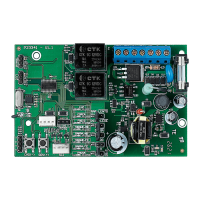
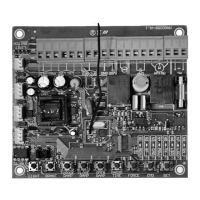
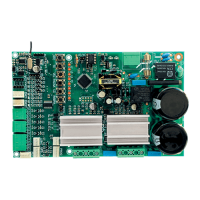
1. MAIN FEATURES
• It can be used with either digital end-of-stroke (encoder hall) or magnetic-
end-of-stroke (analog).
• RF 433.92 Mhz Receiver Module
• Code learning – up to 160 different and button-independent remote controls.
• Inputs:
- Photocell.
- Loose RF Receiver Module.
- RS-485 Serial Module.
• Outputs:
- Traffic Light Module.
- Electronic lock module.
- Courtesy light module.
• Control of the motor:
- Soft start.
- Electronic clutch.
- Electronic brake.
- Torque control.
• Opening delay timing (used in conjunction with a traffic light).
2. SN LED FUNCTIONS
This procedure will reset the memory (erases old information / prepares the memory
to receive new remote controls).
• Flashes once (60-Hz power source).
• Flashes twice (50-Hz power source).
• Flashes normally* 3 times (Opening cycle).
• Flashes normally* 4 times (Closing cycle).
• Flashes inversely** 3 times (Opening cycle with encoder failure).
• Flashes inversely** 4 times (Closing cycle with encoder failure).
• Flashes normally* 5 times (Gate path reset).
• Flashes in ‘clock mode’ every one second (counting the time for automatic
closing).
• Continuously lit (photocell input activated).
3. ELECTRONIC LOCK INPUT
The ECU will enable or disable the electromagnetic lock automatically when a relay
module is connected or disconnected to the TRV connector.
An electromagnetic lock installation results in a 1-second delay on the opening
command. The electromagnetic lock activation time is 3 seconds.
4. FUNCTIONS OF “+” AND “-” BUTTONS
• In access operations, i.e., when the levers of the DIP Switch are off, they are
used as opening / closing commands.
• When programming the ECU (any lever(s) of the DIP Switch on) or adding a
remote control, they are used as an input to the memory update.
5. FACTORY DEFAULT SETTINGS
• Em operações de funcionamento para acesso, ou seja, quando as chaves 1 a 8 da
dip estiverem em posição OFF, atua como comando para abertura ou fechamento.
1. The gate must be still.
2. Turn lever 1 on.
3. SN LED remains off.
4. Press and release the (+) button.
5. SN LED rapidly flashes once.
6. In order to finish, turn the lever 1 off.
7. Analog end-of-stroke.
WARNING: After resetting it to the default factory setting, if the operator
uses a digital end-of-stroke system (encoder sensor hall), a new path acquiring is
necessary for a proper operation.
DEFAULT FACTORY SETTINGS:
• Strength = maximum.
• Soft start = disabled.
• Semiautomatic mode (Push-to-close).
• Opening / Closing time = 4 minutes
• Brake strength = level 1.
• Brake activation time= 400 milliseconds.
• Courtesy light time = 60 seconds.
• Traffic light = continuous.
• End-of-stroke = digital.
• Accept a command when opening = enabled.
• Direction movement reversion through a command = enabled.
• Strength of torque control when opening = level 5.
• Strength of torque control when closing = level 5.
• Strength of torque control when opening (path acquiring) = level 9.
• Strength of torque control when closing (path acquiring) = level 9.
• Limit of opening end of stroke = path – 16 pulses.
• Limit of opening end of stroke = path – 16 pulses.
• FCF (Closing end-of-stroke) adjustment = 0-pulse setback.
• FCA (Opening end-of-stroke) adjustment = 0-pulse setback.
6. SELECTING THE END-OF-STROKE TYPE
(ANALOG OR DIGITAL)
1. The gate must be still.
2. Turn the lever 3 on.
3. SN LED remains off.
4. Choose the type of end-of-stroke:
- Digital end-of-stroke = (+) but ton.
- Analog end-of-stroke = (–) button.
WARNING: The SN LED rapidly flashes for the selected option.
5. In order to change the type of end-of-stroke, go back to step 4.
6. In order to finish, turn the lever 3 off.
7. The SN LED will keep flashing 5 times, indicating that the path is reset (digital
end-of-stroke).
WARNING: Whenever a new type of end-of-stroke is chosen, the opening /
closing time is reset to the 4-minute default factory setting (analog end-of-stroke)
or the path is reset (digital end-of-stroke). For applications with a digital end-of-
stroke, in order to have a proper operation, a new path acquiring is mandatory.
7. SELECTING HYBRID END-OF-STROKE
WARNING: The encoder cable (Reed digital) must be connected to the ENC
and the analog end-of-stroke must be connected to the HBD.
The ECU will automatically enable or disable the electromagnetic lock functions
whenever a relay module is connected or disconnected to the TRV connector.
1. The gate must be still.
2. Turn the levers 3 and 8 on.
3. SN LED remains off.
4. Press the (+) button.
WARNING: SN LED flashes once.
5. In order to finish, turn the levers 3 and 8 off.
WARNING: When using a hybrid system, there is no need to acquire the path. On
the first command, the ECU automatically does it, in normal speed.
8. SELECTING THE APPLICATION TYPE
1. The gate must be still.
2. Turn the lever 4 on.
3. SN LED remains off.
4. Choose the type of application:
- Sliding = Press the (+) button once.
- Vertical Swing = Press the (+) button twice.
5. Wait three seconds.
6. If the SN LED flashes rapidly, the application is valid. If it flashes slowly, the
application is invalid.
7. In order to choose a new application, go back to step 4.
8. In order to finish, turn lever 4 off.
9. The SN LED will keep flashing 5 times, indicating that the path is reset (digital
end-of-stroke).
WARNING: Whenever a new application is chosen, the opening / closing time
is reset to the 2-minute default factory setting (analog end-of-stroke) or the path
is reset (digital end-of-stroke). For applications with a digital end-of-stroke, in
order to have a proper operation, a new path acquiring is mandatory.
9. AUTOMATIC / SEMIAUTOMATIC MODE
1. The ECU must not be counting the time for an automatic closing (pause time).
2. Turn the lever 5 on.
3. SN LED remains off.
4. Set the closing mode, as follows:
SETTING AUTOMATIC MODE (PAUSE TIME):
5. Press and hold the (+) button.
6. SN LED starts operating in ‘clock mode’.
7. Count the desired time interval through the SN LED.
WARNING: The maximum time interval is 255 seconds (4.25 minutes). During
the time counting, when it reaches the 255-second limit time, the counting is
reset to 1 second.
8. Release the (+) button.
9. SN LED ceases operating in ‘clock mode’.
10. In order to add a new pause time, go back to step 5.
11. In order to set it in semiautomatic mode, go to step 13.
12. In order to finish, turn the lever 5 off.
SEMIAUTOMATIC MODE (PUSH-TO-CLOSE):
13. Press the (–) button.
14. SN LED flashes for 2 seconds.
15. In order to set it in automatic mode, go back to step 5.
16. In order to finish, turn the lever 5 off.
10. COURTESY LIGHT TIMING
1. Turn the levers 5 and 1 on.
2. SN LED remains off.
3. Use the (+) and (–) buttons to increase or decrease the time interval.
4. Check the SN LED:
0 = does not count the time, it turns itself off immediately after the gate
reaches the closing end-of-stroke.
1 = 10 seconds.
24 = 240 seconds (4 minutes).
5. In order to finish, turn the levers 5 and 1 off.
11. TRAFFIC LIGHT TIMING
1. Turn the levers 5 and 2 on.
2. SN LED remains off.
3. Use the (+) and (–) buttons to increase or decrease the time interval.
4. Check the SN LED:
0 = continuous mode.
1 = oscillating mode (50 milliseconds).
20 = oscillating mode (1000 milliseconds).
5. In order to finish, turn the levers 5 and 2 off.
12. SOFT START TIMING
1. Turn the levers 5 and 3 on.
2. SN LED remains off.
3. Use the (+) and (–) buttons to increase or decrease the time interval.
4. Check the SN LED:
60 Hz:
0 = Soft start disabled (motor starts with network rated voltage).
1 = Soft start enabled (120 milliseconds).
30 = Soft start enabled (3.6 seconds).
50 Hz:
0 = Soft start disabled (motor starts with network rated voltage).
1 = Soft start enabled (160 milliseconds).
30 = Soft start enabled (4.8 seconds).
5. In order to finish, turn the levers 5 and 3 off.
13. BRAKE TIME
1. Turn the levers 5 and 4 on.
2. SN LED remains off.
3. Use the (+) and (–) buttons to increase or decrease the time interval.
4. Check the SN LED:
0 = brake disabled.
1 = 200 milliseconds.
12 = 2.4 seconds.
5. In order to finish, turn the levers 5 and 4 off.
14. MANDATORY AUTOMATIC ACQUIRING OF
THE OPENING / CLOSING TIMING (ANALOG
END-OF-STROKE) OR PATH (DIGITAL END-OF-
STROKE)
1. The gate must be still.
2. Turn the lever 6 on.
3. SN LED remains off.
4. Press and release the (+) button. The motor will be activated for the closing cycle
up to the Closing End-of-stroke. After one second, the motor will be activated
for the opening cycle, acquiring the path through the opening / closing time
(analog end-of-stroke) or through the pulses of the digital encoder (digital end-
of-stroke). Three seconds are added to the opening and closing time (analog
end-of-stroke).
5. In order to finish, turn the lever 6 off.
6. In order to perform a new path acquiring, go back to step 2.
WARNING: The remote control can be used to cancel and restart the path
acquiring process. During the acquiring path, one can cancel the process turning
the lever 6 off or through a remote control command.
15. OPENING RAMP (LIMIT OF THE OPENING
END-OF-STROKE AREA TO DECELERATE THE
GATE)
It is the distance between the opening mechanical stop plate and the point on the path
where the ECU enters the torque control mode to decrease the speed of the gate and
turn it off on the acquired path.
1. Turn the levers 6 and 1 on.
2. SN LED remains off.
3. Use the (+) and (–) buttons to increase or decrease the end-of-stroke limit.
4. Check the SN LED.
5. In order to finish, turn the levers 6 and 1 off.
16. CLOSING RAMP (LIMIT OF THE CLOSING
END-OF-STROKE AREA TO DECELERATE THE
GATE)
It is the distance between the closing mechanical stop plate and the point on the path
where the ECU enters the torque control mode to decrease the speed of the gate and
turn it off on the 0 (zero) position.
1. Turn the levers 6 and 2 on.
2. SN LED remains off.
3. Use the (+) and (–) buttons to increase or decrease the end-of-stroke limit.
4. In order to finish, turn the levers 6 and 2 off.
* Flashes normally: LED normally o, goes on for 100 milliseconds. This cycle repeats itself every 2
seconds.
** Flashes inversely: LED normally on, goes o for 100 milliseconds. This cycle repeats itself every 2
seconds.
FACILITY TOP
ECU
TECHNICAL MANUAL
WARNING
Do not use the equipment
without referring to this
manual fir.
P05629 - 11/2021
Rev. 6
17. GAP BETWEEN THE GATE AND THE
OPENING STOPPER (END-OF-STROKE
SETBACK ADJUSTMENT) FOR REED DIGITAL
It is the adjustment of the setback (1 pulse) or of the stepping ahead (1 pulse) of the
opening end-of-stroke.
1. Turn the levers 6 and 3 on.
2. SN LED remains off.
3. Use the (+) and (–) buttons to increase or decrease the end-of-stroke position.
4. Check the SN LED.
5. In order to finish, turn the levers 6 and 3 off.
18. GAP BETWEEN THE GATE AND THE
CLOSING STOPPER (END-OF-STROKE SETBACK
ADJUSTMENT) FOR REED DIGITAL
It is the adjustment of the setback (1 pulse) or of the stepping ahead (1 pulse) of the
closing end-of-stroke.
1. Turn the levers 6 and 4 on.
2. SN LED remains off.
3. Use the (+) and (–) buttons to increase or decrease the end-of-stroke position.
4. Check the SN LED.
5. In order to finish, turn the levers 6 and 4 off.
19. STRENGTH (ELECTRONIC CLUTCH)
In order to have a proper utilization of this security sensor device, proceed as follows:
- After properly installing the gate opener on the gate, adjust the electronic
clutch so that the minimum strength is needed to move the gate leaf on its
entire path, for both opening and closing.
1. This adjustment can be performed with the gate either moving or still
2. Turn the lever 7 on.
3. SN LED turns itself off.
4. Use the (+) and (–) buttons to increase or decrease the strength.
5. Check the SN LED.
The adjustment levels variations are:
60 Hz = 0 up to 13 pulses.
50 Hz = 0 up to 17 pulses.
6. In order to finish, turn the lever 7 off.
20. TORQUE CONTROL STRENGTH DURING
OPENING RAMP
1. Turn the levers 7 and 1 on.
2. SN LED remains off.
3. Use the (+) and (–) buttons to increase or decrease the torque control strength.
4. Check the SN LED.
5. In order to finish, turn the levers 7 and 1 off.
21. TORQUE CONTROL STRENGTH DURING
CLOSING RAMP
1. Turn levers the 7 and 2 on.
2. SN LED remains off.
3. Use the (+) and (–) buttons to increase or decrease the torque control strength.
4. Check the SN LED.
5. In order to finish, turn the levers 7 and 2 off.
22. TORQUE CONTROL STRENGTH WHEN
ACQUIRING THE PATH (CLOSING)
1. Turn the levers 7 and 3 on.
2. SN LED remains off.
3. Use the (+) and (–) buttons to increase or decrease the torque control strength.
4. Check the SN LED.
5. In order to finish, turn the levers 7 and 3 off.
23. TORQUE CONTROL STRENGTH WHEN
ACQUIRING THE PATH (OPENING)
1. Turn the levers 7 and 4 on.
2. SN LED remains off.
3. Use the (+) and (–) buttons to increase or decrease the torque control strength.
4. Check the SN LED.
5. In order to finish, turn the levers 7 and 4 off.
24. ADDING REMOTE CONTROLS
Code learning up to 160 remote controls, independently from the fact that either
one button or two buttons per remote control have been added.
1. The gate must be still and must not be counting the pause time for automatically
closing.
2. Turn the lever 8 on.
3. Press the button of the remote control ne wants to add.
4. SN LED must flash rapidly.
5. Press and release the (+) button.
6. Check the SN LED: If it flashes once, the button has been successfully added; if
it flashes twice, the button is already added to the memory; if it flashes three
times, the memory is full.
7. Release the button of the remote control.
8. In order to add other remote control, go back to step 3.
9. In order to finish, turn the lever 8 off.
25. ERASING ALL REMOTE CONTROLS
10. The gate must be still and must not be counting the pause time for automatically
closing.
11. Turn the lever 8 on.
12. Press and release the (–) button.
13. The SN LED lights up.
14. Press and release the the (+) button to confirm the exclusion of all remote
controls (the SN LED flashes four times) or press and release the (–) button to
cancel the exclusion process.
15. In order to finish, turn the lever 8 off.
26. ENABLING OR DISABLING A COMMAND
ON OPENING CYCLE / DELAY WHEN OPENING
It is a permission for a pushbutton / remote control command to be accepted during
the opening cycle.
It also has the function of programming the pushbutton / remote control operation
mode when the ECU is counting the time for delaying an opening with the traffic light
switched on.
The gate opening delay time interval can be cancelled through a pushbutton or a
remote control.
Partial opening – When the gate is totally closed and it receives an opening command,
the traffic light will be switched on through the programmed time and then the
opening cycle of the gate will start. If during the delay time interval it receives a new
command, the traffic light will be switched off and the time will be reset. Only during
the opening cycle a command is ignored.
Total opening – When the gate is totally closed and it receives an opening command,
the traffic light will be switched on through the programmed time and then the
opening cycle of the gate will start. During the delay time interval and the opening
cycle, a command will be ignored.
SETTINGS:
0 = command when opening enabled.
1 = command in partial opening, opening delay time interval with traffic light on = 5 seconds.
2 = command in partial opening, opening delay time interval with traffic light on = 10 seconds.
3 = command in partial opening, opening delay time interval with traffic light on = 15 seconds.
4 = command in total opening, opening delay time interval with traffic light on = 5 seconds.
5 = command in total opening, opening delay time interval with traffic light on = 10 seconds.
6 = command in total opening, opening delay time interval with traffic light on = 15 seconds.
Instructions:
1. The gate must be still;
2. Turn the levers 8 and 2 on;
3. SN LED remains off;
4. Press the (+) button to increase the value; SN LED rapidly flashes once;
5. Press the (-) button to decrease the value; SN LED rapidly flashes once;
6. In order to finish, turn the levers 8 and 2 off.
PROGRAMMING INDEX CHART
Lever(s) Function (+) Button (–) Button
8 Adds remote controls Adds
8 Erases remote controls 2nd Confirms 1st Erases
8+1
Enables or disables direction movement
reversion through a command (Pushbutton
and remote control)
Enables Disables
8+2
Enables or disables a command in opening /
Delay in opening
Increases Decreases
7 Strength (Electronic clutch) + Strength – Strength
7+4
Torque control strength on the closing
end-of-stroke area (Acquiring)
+ Torque – Torque
7+3
Torque control strength on the opening
end-of-stroke area (Acquiring)
+ Torque – Torque
7+2
Torque control strength on the closing
end-of-stroke area
+ Torque – Torque
7+1
Torque control strength on the opening
end-of-stroke area
+ Torque – Torque
6
Path acquiring (Digital end-of-stroke) or ope-
ning / closing time (Analog end-of-stroke)
Starts reading
the path
6+4
Closing end-of-stroke setback adjustment
(difference between the gate and the
stopper)
Larger setbackLesser setback
6+3
Opening end-of-stroke setback adjustment
(difference between the gate and the
stopper)
Larger setbackLesser setback
6+2 Limit of the closing end-of-stroke area Larger space Lesser space
6+1 Limit of the closing end-of-stroke area Larger space Lesser space
5
Automatic or semiautomatic mode (hold the
button pressed for the desired time)
Pause time
(automatic)
Semiautomatic
5+4 Electronic brake activation time + Brake – Brake
5+3 Soft start time (120 milliseconds per pulse) Higher Lesser
5+2 Traffic light time (50 milliseconds per pulse) Higher Lesser
5+1 Courtesy light time (10 seconds per pulse) Higher Lesser
127 VAC
220 VAC
(50 Hz/60 Hz)
VOLTAGE
SELECTION
JUMPER
FUNCTION-ADJUSTING
BUTTONS
DIP SWITCH
FOR CHOOSING
THE FUNCTIONS
RF 433.92
MHZ RECEIVER
HRF
CLOSED = ENABLES RF
OPEN = DISABLES RF
ENGINE
STARTING
CAPACITOR
RELAY
MODULE FOR
ELECTROMAGNETIC
LOCK
LOOSE
RECEIVER
RELAY
MODULE FOR
COURTESY LIGHT
RELAY
MODULE FOR
TRAFFIC LIGHT
TX
PHOTOCELL
RX
OPERATOR WITH
END-OF-STROKE
FCA
FCF
A
C
F
DIGITAL
END-OF-STROKE
YELLOW
RED / BLACK
BLACK / RED
SINGLE-PHASE
INDUCTION
MOTOR
GENERAL TERMS AND CONDITIONS OF WARRANTY
MOTOPPAR, Indury and Commerce of Automatic Gate Operators Ltd., regiered with
the CNPJ (National Regiry of Legal Entities) under Number 52.605.821/0001-55, located
at 3526 Dr. Labieno da Coa Machado Avenue, Indurial Dirict, Garça – SP – Brazil, Zip
Code 17400-000, manufacturer of PPA Products, hereby guarantees this product again
design, manufacturing or assembly defects and/or supportively as a result of material
quality aws that could make its intended use improper or inadequate, within a legal
period of ninety days from time of acquisition, provided that the inallation inructions
described in the inruction manual are observed.
Due to the credibility and tru placed on PPA products, we will add 275 more days to
the period mentioned above, reaching a warranty period of one year, likewise counted
from the time of acquisition proven by consumer through proof of purchase (Cuomer
Receipt).
In case of defect, within the warranty period, PPA responsibilities are rericted to the
repair or subitution of the product manufactured by the company, under the following
conditions:
1. Repair and readjument of equipment may only be carried out by PPA Technical
Assiance, which is qualied to open, remove, and subitute parts or components, as
well as repair defects covered by this warranty; thus, failure on observing this guideline
and the veried use of any non-original parts will cause the resignation of this warranty
on the part of the user;
2. The warranty will not extend to accessories such as cables, screw kit, xing brackets,
power supplies etc.;
3. Expenses for packaging, transportation and product reinallation will be sole
responsibility of the consumer;
4. The equipment mu be sent directly to the Company responsible for the sale
(manufacturer's representative), through the address contained in the purchase invoice,
properly packed, thus avoiding loss of the warranty;
5. Within the additional period of 275 days, visits and transportation in places where
authorized technical assiance is not available will be charged. The co of transportation
of the product and/or technician will be sole responsibility of the consumer and
6. The subitution or repair of the product does not prolong the warranty time.
This warranty will be terminated if the product:
1. Is damaged by natural agents, such as atmospheric discharges, oods, wildres,
landslides etc.;
2. Is inalled in an improper electric power supply or if it is not according to any of the
inallation inructions displayed on the manual;
3. Shows defects caused by droppings, collisions or any other physical accident;
4. Shows signs of product violation or attempted repair by unauthorized personnel;
5. Is not used for its intended purpose;
6. Is not used under normal conditions;
7. Is damaged by accessories or equipment connected to it.
Recommendation:
We recommend that both the inallation and the maintenance of the operator to be
performed by an authorized PPA technical service. If the product fails or has an improper
operation, seek an Authorized Technical Service to x it.


 To Next Page
 Need help?
 General