EasyManua.ls Logo

PPG wave 2.2 - Adjusting the Filters; Adjusting the Resonance Intensity; Adjusting the Cutoff-Frequency of the Filters

Default Icon
38 pages
Print Icon
To Next Page IconTo Next Page
To Previous Page IconTo Previous Page
Loading...
3.
Adjusting
the
filters
3.1.
Adjusting
the
resonance
intensity
The
instrument
is
opened
and
power
is
on.
Call
up
program
74
group
A
(original
PPG
program).
Tune
the
instrument
to
440
Hz
(TTUNE:
440)-
Choose
group
A
for
adjusting
the
resonance.
After
power
ON.
the
voices
of
the
WAVE
2.2
are
in
the
normal
order.
Each
time
you
press
a
key
the
next
voice
gets
enabled.
(in
the
sequence
1.2.3
4.5.6.7.8)
Now
press
the
first
key.
in
the
centre
of
the
keyboard,
and
adjust
the
trim-pot
so.
that
the
filter
resonance
is
dirictly
before
self-osci11ation.
Press
the
same
key
again
and
trim
the
next
voice.
Go
through
all
the
8
voices
this
way.
It
is
important
that
they
are
all
trimmed
to
the
same
intensity.
3.2.
Adjusting
the
cutoff-frequency
of
the
filters
Swith
to
group
B
(program
74).
Press
a
key
in
the
higher
range
of
the
keyboard,
and
adjust
the
cutof.f-f
r
equency
so
that
it
becomes
equal
to
the
fundamental
frequency
of
the
tonegenerator.
Do
the
same
procedure
for
all
the
8
voires.
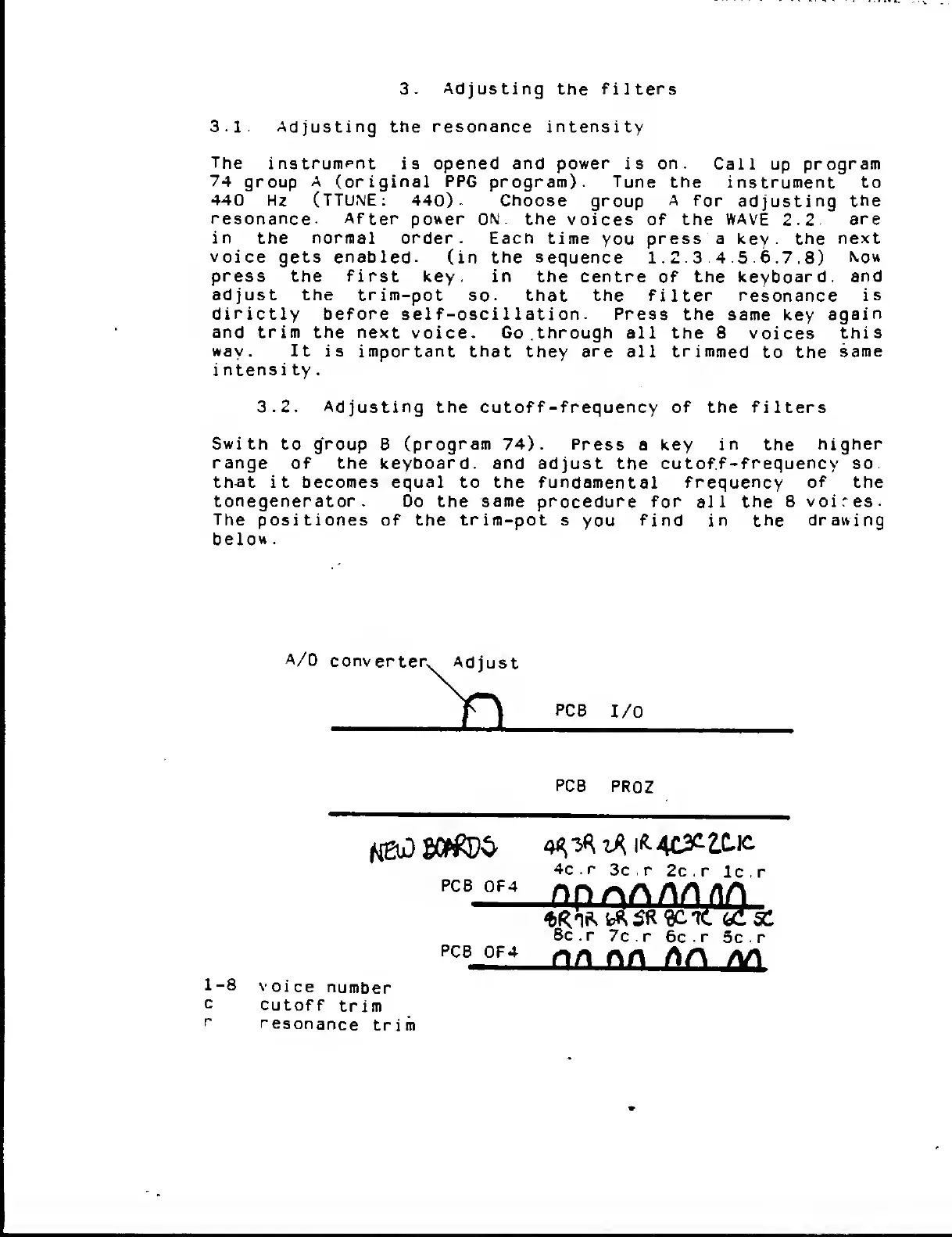
The
positiones
of
the
trim-pot
s
you
find
in
the
drawing
below.