EasyManua.ls Logo

PPI neuro 100 - User Manual

PPI neuro 100
42 pages
Print Icon
To Next Page IconTo Next Page
Loading...
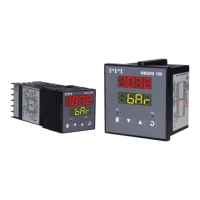
neuro 100
User Manual
Universal Process Indicator
Question and Answer IconNeed help?

Do you have a question about the PPI neuro 100 and is the answer not in the manual?

Summary

Front Panel Layout

Basic Operation

POWER-UP

Details the initial power-on sequence and display indications.

MAIN DISPLAY MODE

Explains the primary operating mode showing Process Value (PV) and units.

Alarm Status Information

Describes how alarm conditions are displayed on the Lower Readout.

OPERATOR PAGE AND PARAMETERS

Introduces parameters accessible via the Operator Page for frequent settings.

Accessing Operator Page & Adjusting Parameters

Provides a step-by-step guide to navigate and change operator parameters.

Set-Up Mode: Access and Operation

SET-UP MODE

Explains how to enter and navigate the indicator's setup mode.

Alarm Parameters

Input Configuration Parameters

INPUT TYPE

Selects the input sensor type (Thermocouple, RTD, DC Linear).

Hardware Assembly and Configurations

INPUT: Jumper Settings

Explains jumper settings on the CPU PCB for input configuration.

MOUNTING PLUG-IN MODULES

Details how to mount output and option plug-in modules.

Mechanical Installation

PANEL CUTOUT AND RECOMMENDED MINIMUM SPACING

Provides specifications for panel cutout and mounting spacing.

PANEL MOUNTING

Step-by-step instructions for mounting the indicator onto a panel.

Electrical Connections

Front Panel Layout (96 x96)

READOUTS

Describes the Upper and Lower LED displays for process values and units.

INDICATORS

Explains the function of AL1 and AL2 LED indicators for alarm status.

KEYS

Details the four tactile keys used for configuration and operation.

Hardware Assembly and Configurations (96 x96)

Input Jumper Setting

Explains jumper settings for input configuration.

OUTPUT-1: Jumper Settings

Details jumper settings for configuring Output-1 type (Relay, SSR, DC Linear).

OUTPUT-2 & OUTPUT-3: Modules and Jumper Settings

Describes output modules and their Relay/SSR jumper settings.

Electrical Connections (96 x96)

CONNECTION DIAGRAM

Shows the rear panel terminal layout and wiring connections.

POWER SUPPLY (Terminals: 12, 13)

Details connections for AC or DC power supply.

SERIAL COMMUNICATION PORT (Terminals: 14, 15)

Explains connections for RS485 serial communication with a host.

Summary

Front Panel Layout

Basic Operation

POWER-UP

Details the initial power-on sequence and display indications.

MAIN DISPLAY MODE

Explains the primary operating mode showing Process Value (PV) and units.

Alarm Status Information

Describes how alarm conditions are displayed on the Lower Readout.

OPERATOR PAGE AND PARAMETERS

Introduces parameters accessible via the Operator Page for frequent settings.

Accessing Operator Page & Adjusting Parameters

Provides a step-by-step guide to navigate and change operator parameters.

Set-Up Mode: Access and Operation

SET-UP MODE

Explains how to enter and navigate the indicator's setup mode.

Alarm Parameters

Input Configuration Parameters

INPUT TYPE

Selects the input sensor type (Thermocouple, RTD, DC Linear).

Hardware Assembly and Configurations

INPUT: Jumper Settings

Explains jumper settings on the CPU PCB for input configuration.

MOUNTING PLUG-IN MODULES

Details how to mount output and option plug-in modules.

Mechanical Installation

PANEL CUTOUT AND RECOMMENDED MINIMUM SPACING

Provides specifications for panel cutout and mounting spacing.

PANEL MOUNTING

Step-by-step instructions for mounting the indicator onto a panel.

Electrical Connections

Front Panel Layout (96 x96)

READOUTS

Describes the Upper and Lower LED displays for process values and units.

INDICATORS

Explains the function of AL1 and AL2 LED indicators for alarm status.

KEYS

Details the four tactile keys used for configuration and operation.

Hardware Assembly and Configurations (96 x96)

Input Jumper Setting

Explains jumper settings for input configuration.

OUTPUT-1: Jumper Settings

Details jumper settings for configuring Output-1 type (Relay, SSR, DC Linear).

OUTPUT-2 & OUTPUT-3: Modules and Jumper Settings

Describes output modules and their Relay/SSR jumper settings.

Electrical Connections (96 x96)

CONNECTION DIAGRAM

Shows the rear panel terminal layout and wiring connections.

POWER SUPPLY (Terminals: 12, 13)

Details connections for AC or DC power supply.

SERIAL COMMUNICATION PORT (Terminals: 14, 15)

Explains connections for RS485 serial communication with a host.

PPI neuro 100 Specifications

General IconGeneral
Operating SystemAndroid
RAM2GB
Storage16GB
ConnectivityWi-Fi, Bluetooth
Display Size10.1 inches
Resolution1280 x 800
ProcessorQuad Core