! !!!!!!!!!!!!!!!!!!!!!!!!!!!!!!!!!!!!!! !!!!!!!!! !
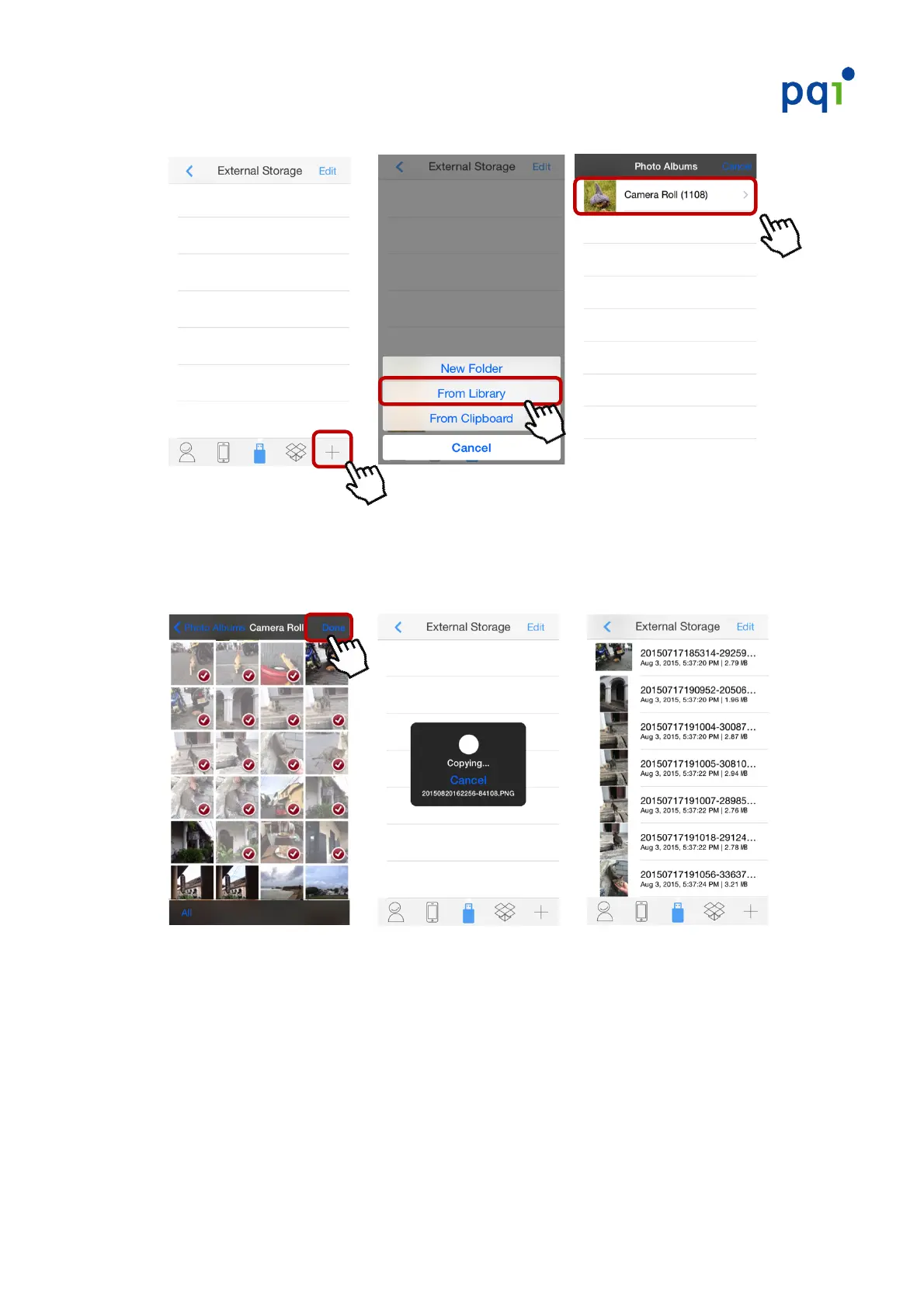
3. Tap!on!the!“+”!at!the!lower_right!corner!!“From!Library”!“Camera!Roll!”。
4. Select!the!photo/video!file(s)!you!wish!to!back!up!from!your!camera!roll,!
then!tap!“Done”!in!the!upper!right!corner.!The!selected!photo/video!files!will!
be!backed!up!on!the!iConnect.!
!!! !!! !
####
* E%5.#13'#12)#A=A#%.#12)#0%>)(F(6-21#5%(.)(#3.+#52%%*)#12)#,B)>#G%0+)(A#
%'16%.@#H.1)(#3#"%0+)(#.3?)#12).#"%00%>#12)#'(%5)+&()*#06*1)+#34%I)#1%#*3I)#12)#
'2%1%JI6+)%#"60)*#1%#12)#*')56"65#"%0+)(@#
* 81#126*#16?)7#12)#%(6-6.30#'2%1%JI6+)%#"60)*#3()#*1600#*3I)+#%.#12)#6K9#+)I65)@#!"#
$%&#>6*2#1%#"())#&'#12)#*'35)#%.#$%&(#6K9#+)I65)7#'0)3*)#+)0)1)#12)#"60)*#?3.&300$#
"(%?#12)#:2%1%*#8''@#


 To Next Page