! !!!!!!!!!!!!!!!!!!!!!!!!!!!!!!!!!!!!!! !!!!!!!!! !
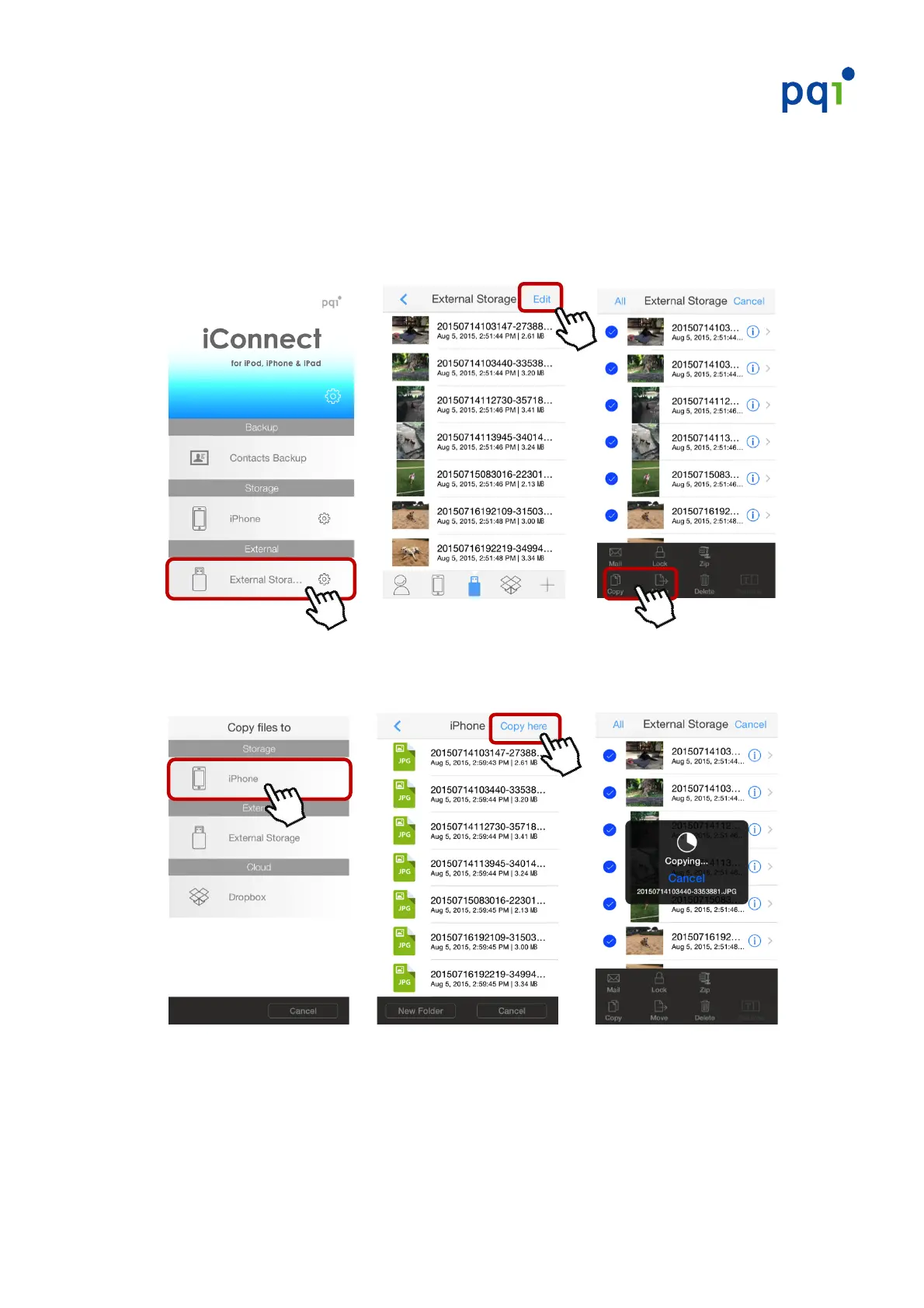
Send!photos/videos!from!the!iConnect!to!your!iOS!device!
#
1. Enter!the!PQI!iConnect+!App!and!choose!“External!Storage”.!Tap!“Edit”!in!the!
upper!right!corner!!Select!the!photo!or!video!file(s)!you!wish!to!send!!
press!on!the!“Copy”!or!“Move”!button!below.!
!!! !!! !!! !!!!!
!
2. Select!iOS!device!(iPhone!or!iPad)!!Tap!“Copy!here”!to!start!copying!the!
selected!photo!or!video!file(s)!to!your!iOS!device.!
!!! ! ! ! ! ! ! ! ! ! !
!


 To Next Page