16 4801 V100-UK
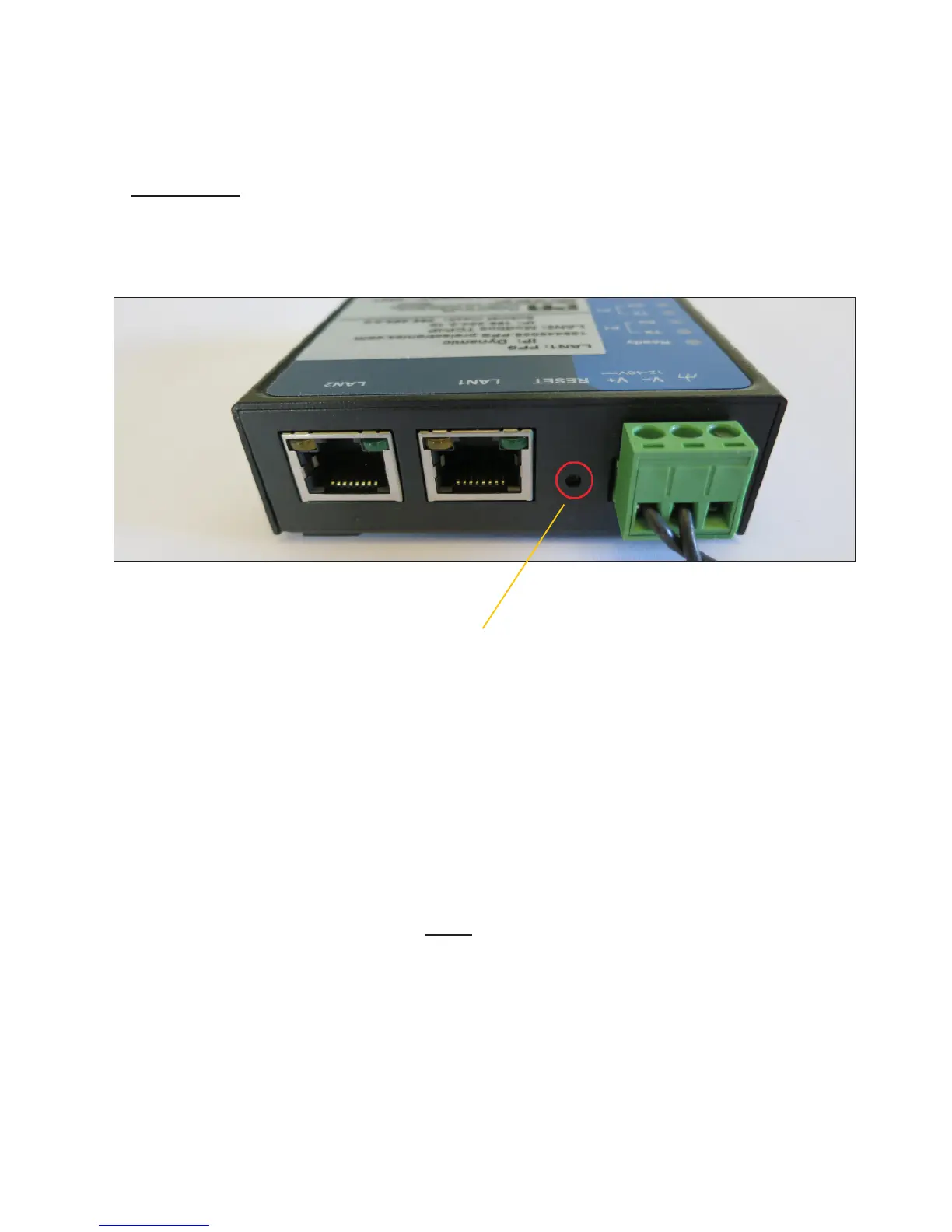
Press and activate - the reset button for 10 seconds;
this will restore the settings to default, and clear the
created user list.
After the reset - the 4801 gateway will have the follo-
wing (default) settings:
IP: 169.254.0.10 and Subnet Mask: 255.255.0.0.
Connect the LAN2 port - on the 4801 gateway - to the
Computer using an Ethernet cable. You can now use TCP/
IP communication from Computer directly through LAN2.
Please note - It is now only possible to communicate
with the 4801 gateway via TCP/IP by using a direct
wired connection to the LAN2 port.
Method 2:
(Only use this method if you can’t find the IP address of the gateway)
Change LAN communication setup
back to point to point communication



 To Next Page