
 Need help?
Do you have a question about the Precia Molen i5 and is the answer not in the manual?
Explains symbols, warnings, and notes used throughout the manual for clarity and safety.
Provides instructions for the proper disposal of the device and its components as electronic waste.
Outlines essential safety measures, power supply requirements, and user responsibilities for safe operation.
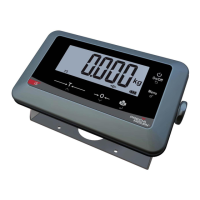
Introduces the i5 indicator and lists its three primary use modes: SIMPLE WEIGHING, COUNTING, and ANIMAL WEIGHING.
Details the purpose and operation of each key on the i5 indicator for menu navigation and data input.
Explains the different zones and indicators shown on the i5 indicator's main display screen.
Step-by-step guide to powering on the i5 indicator and its initial self-test sequence.
Instructions for performing simple weighing, including tare functions and ticket printing.
How to utilize the counting mode, including sampling procedures and part counting.
Explains the specific operational mode for animal weighing and its ticket output format.
Procedures for accessing and reviewing DSD records to verify information against customer tickets.
Overview of what can be configured, including use modes, features, and general parameters.
Details on how to enter the configuration mode using the required access code or password.
Explains the main options available in the general configuration menu for setting up the indicator.
Configuration options for selecting and customizing use modes like SIMPLE, COUNTING, and ANIMAL WEIGHING.
Settings for selecting display language and configuring date and time formats.
Options to adjust screen backlighting, automatic stop function, and key press volume.
Configuration settings for serial link communication and Bluetooth connection options.
Parameters for zero functions, tracking zero, stability, and automatic reset for metrological accuracy.
Adjustments for filtering outdoor disturbances and performing initial resets of metrological parameters.
Procedure for changing the operator's password to secure access to configuration settings.
Steps to confirm and save any modifications made within the configuration menus.
 General
| Brand | Precia Molen |
|---|---|
| Model | i5 |
| Category | Measuring Instruments |
| Language | English |

 To Next Page