Installation and Operation Manual
1311 East Franklin Road, Suite 102
Meridian, Idaho 83642
Support: 1-888-254-1634
www.PreCiseMRM.com
a subsidiary of FORCE America
Copyright 2017
Sales: 1-888-449-0357
•
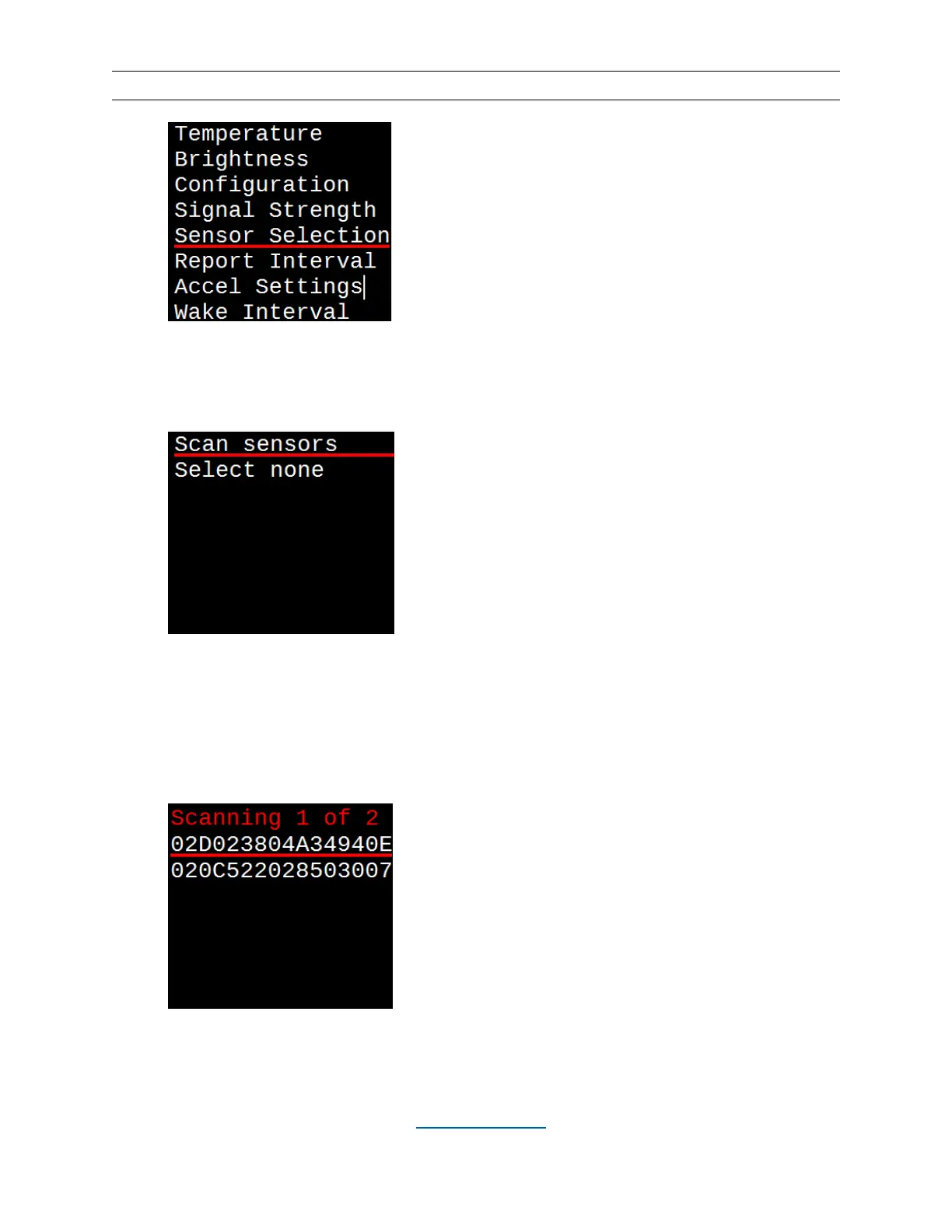
Hit the SELECT button.
•
With “Scan sensors” underlined, hit SELECT again.
•
While the display shows “Scanning” install the battery in the sensor or tap it a few
times to wake it up. If you are pairing to a wired sensor, it will transmit as long as
it has power.
•
When you see the serial number of the sensor you are pairing, underline it with
the UP (▲) and DOWN (▼) buttons and hit SELECT.
•
With “Temperature” underlined, hit SELECT. This will take you to the main
display screen showing air and road temperature, as well as dewpoint (or


 To Next Page