4 5
SETTING UP YOUR SCALE
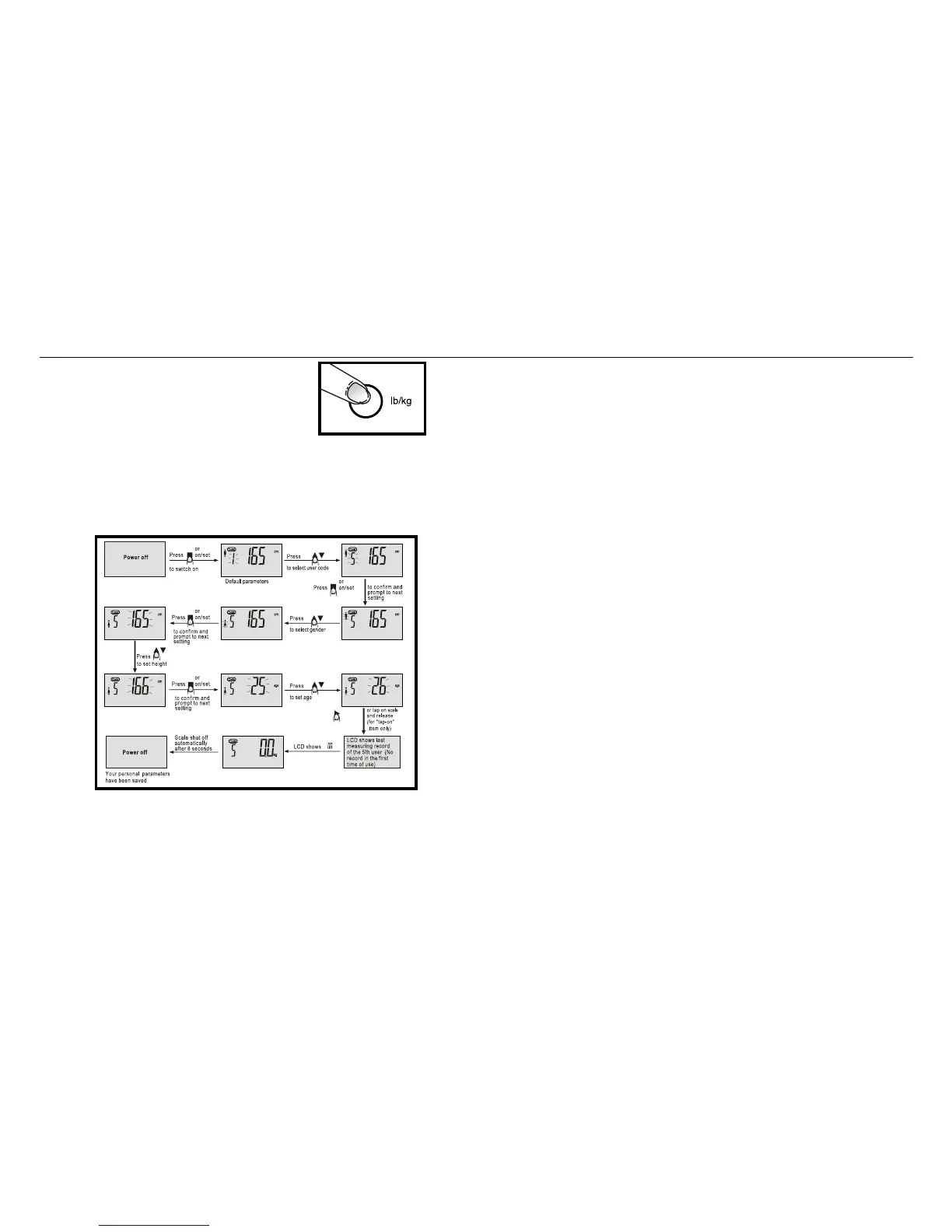
1. Locate the pound/kilogram (lb/kg) button
under the scale near the top of the scale.
Select lb or kg weight reading as desired.
The scale will now weigh in pounds or
kilograms as indicated. This will show the
display when you push the button.
2. Press and hold SET button once.. The user number will start
flashing. Select user number by pressing the two arrow buttons
to move the number up or down. Press the SET button when
desired user number is shown. (Note: Up to 12 users can
be programmed.)
3. After the SET button is pushed, the gender icon will start flashing.
Press the up or down arrow to move between male and female.
Press the SET button.
4. In similar fashion, the display will prompt you to set your activity
level, heights, age, and target weight. Press the SET button after the
proper information is shown to move to the next flashing display.
USING THE SCALE
1. Press the SET button. The user number and related information
will be shown. Use the two arrow buttons to select the proper
user number.
2. Wait for 0.0 to appear. Step on the scale in bare feet and stand
still. Be sure to stand with your feet covering the metal plates.
The following information will be displayed after about 3 seconds.
• Weight reading will appear first and start flashing, then
stop flashing when reading is confirmed.
• Weight differences from your target weight setting
will appear next.
• Body Fat percentages and overall fitness assessment for
Body Fat will appear next. The fitness assessment is shown
in a series of bars that tells you if your body fat percent is
above or below average relative to your user information
on gender, height, and age.
• Body Water percentage will appear next.
• Muscle Mass percentage will appear next.
• Bone Mass percentage will appear next on the display.
• Recommended daily calorie intake will appear next.
• The information will be displayed three times and then the
scale will turn off automatically.
3. If only weight is desired, tap on scale with your foot, wait for 0.0
to appear and step on scale. It is not necessary to press the SET
button to select your user number.


 To Next Page