AM250
Installation Instructions Page 9
Attaching the Display
IT IS RECOMMENDED THAT TWO PEOPLE MOUNT THE DISPLAY, AS THE UNIT IS
HEAVY AND, IF DROPPED, WILL DAMAGE THE MOUNT, THE DISPLAY, AND/OR PERSONNEL.
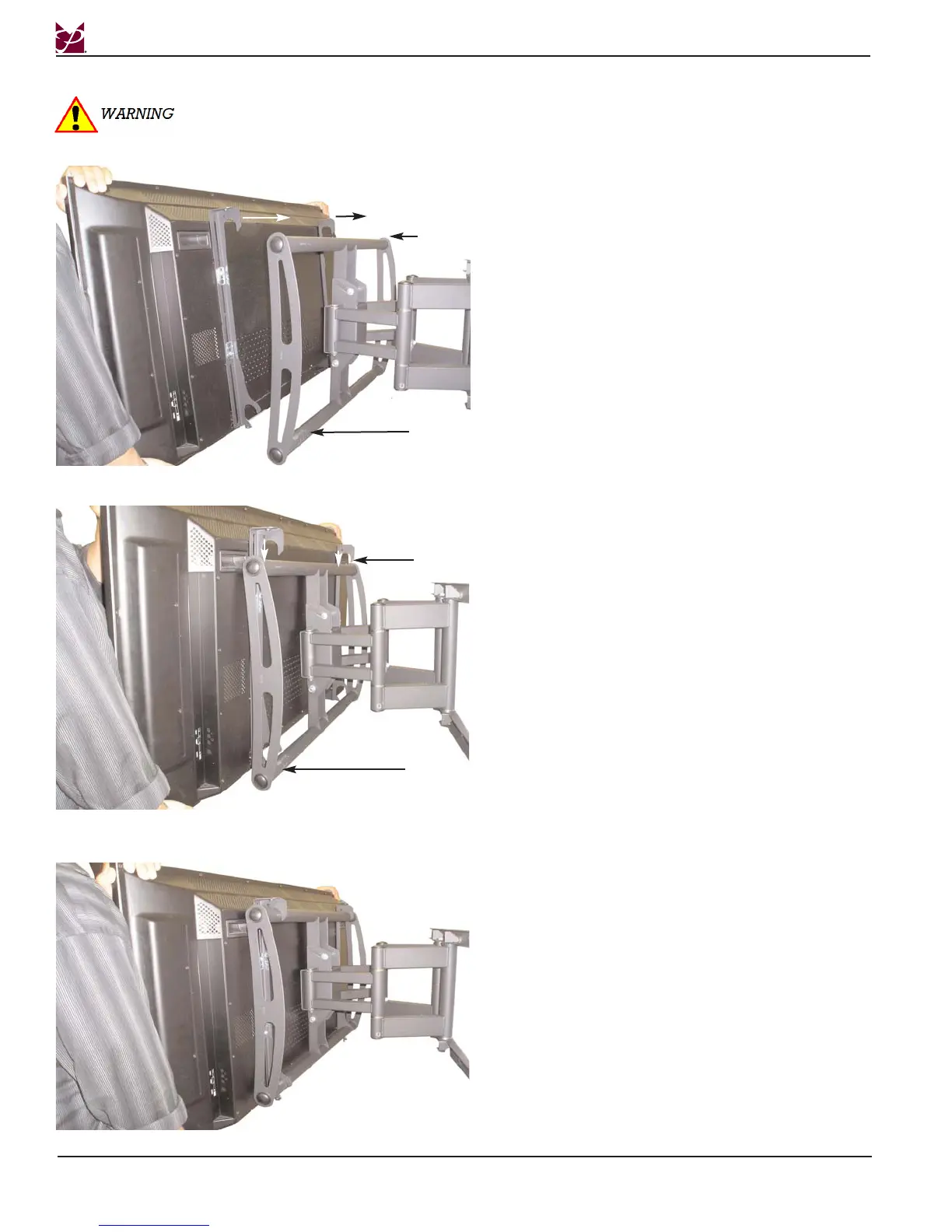
Step 1. Place the universal brackets and the display
over the upper mounting bars of the AM250.
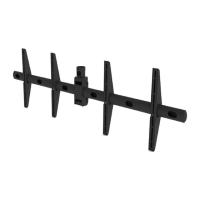
Step 2. Lower the universal mounting brackets
and display onto the mounting bars of the
AM250.
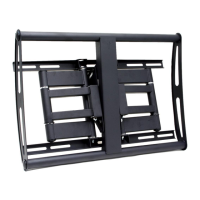
Step 3. This is what the two units will look like after
the universal mounting brackets and display
are mounted to the AM250.
Upper Mounting
Bar
Lower Mounting
Bar
Upper Mounting
Bar
Lower Mounting
Bar


 To Next Page