6
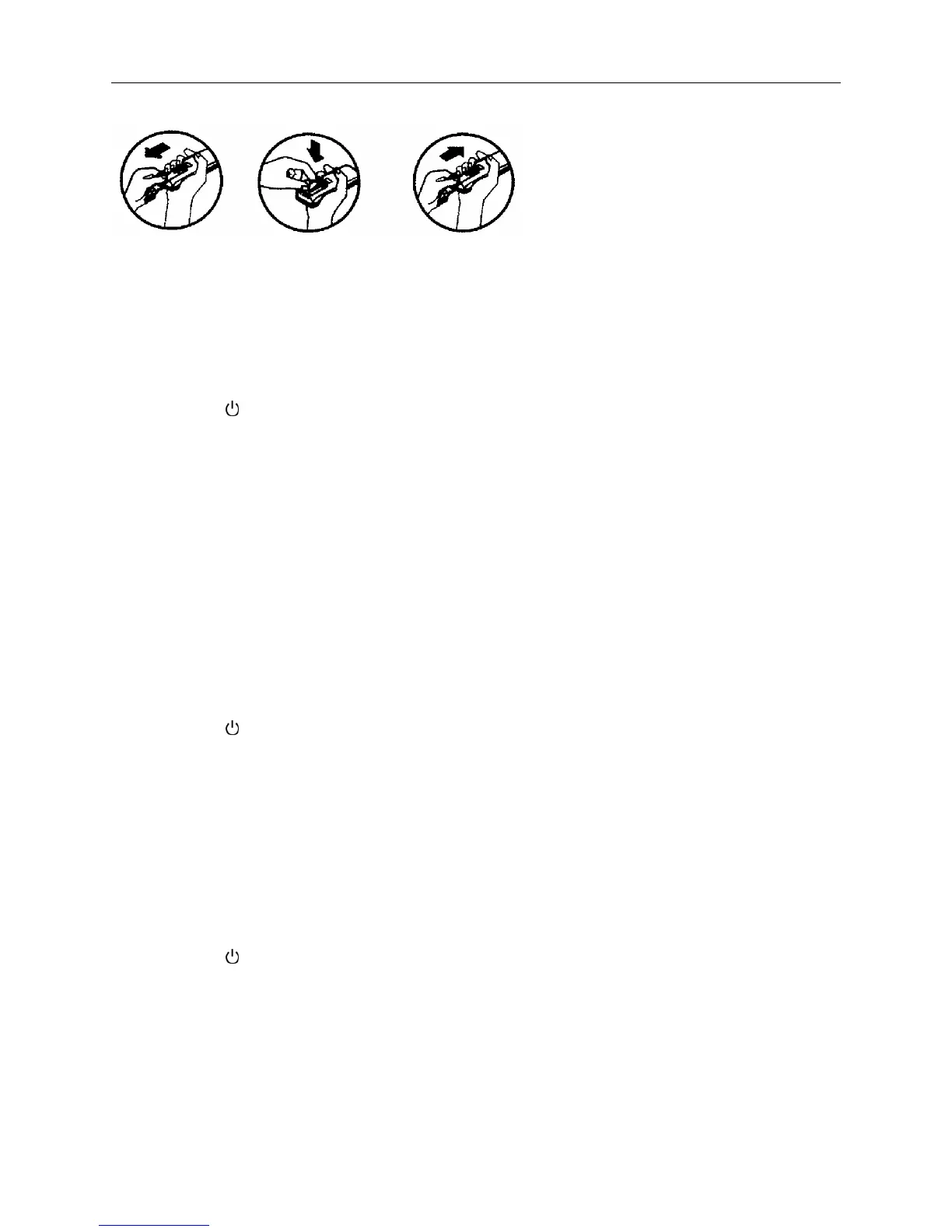
Fix batteries
1. Slide opens the cover according the direction indicated by arrowhead.
2. Put into two brand new batteries (7#). Position the batteries to right electric poles (+&-).
3. Put back the cover.
Make sure to connect the wire to independent power source socket before you use the remote
controller.
Note: the waste
battery shall be disposed properly.
Cooling / Heating operation mode (Cold wind type has no heating function)
1. Press the “
” button. the operation indicator is on. the air-condit
ioner starts to operate the
Cooling or Heating mode.
Press the button again. the air-conditioner stops.
2. Press the MODE button. select the Cooling or Heating operation mode.
3. Press “ + ” or “ - ” the button. set the temperature range from 16
℃
to 32
.℃
3. Press the “ FAN ” button. you can select fan speed from “ Low ”、“ Mid ”、“ High ”、 “ Auto
”.
Drying operation mode
1. Press the MODE button. select the dry mode operation.
2. Press “ + ” or “ - ” the button. set the temperature range from 16
℃ to 32℃.
3. Press the “ FAN ” button. you can select fan speed.
The type of
H、M series:
You can select fan speed from “Power”、 “High”、 “Low”. “Mute”.
The type of E series:
You can select fan speed from “Auto”、 “High”、 “Mid”、 “Low”.
4. Press the “
” button. the operation indicator is on. the air-condit
ioner starts to operate the
Dry mode.
Press the button again. the air-conditioner stops.
Circulation operation mode
1. Press the MODE button. select the Circulation operation mode.
2. Press the “ FAN ” button. you can select fan speed.
The type of H、M series:
You can select fan speed from “High”、 “Low”、 “Mute”.
The type of E series:
You can select fan speed from “High”、 “Mid”、“Low”.
3. Press the “
” button. the operation indicator is on. the air-condit
ioner starts to operate the
Circulation mode.
Press the button again. the air-conditioner stops.
Remark: In the circulation operation mode. To set the temperature is no effective.
Automatic operation mode
1. Press the MODE button. select the automatic operation mode.
2. Press the “ FAN ” button. you can select fan speed.
The type of H、M series:



 To Next Page