9
Powering up your Presidium Gem Tester
This tester can be powered by either the use of an AC
adaptor or through the use of batteries. If AC adaptor is
used, connect one end of the AC adaptor to the tester
and the other end directly into an electrical outlet. Please
ensure that only the adaptor supplied by Presidium is
used.
If batteries are used (2 x AA batteries), take note of the
positive (+) and negative (-) directions of batteries when
inserting the batteries into the tester (Fig 1.1). The use
of alkaline batteries is preferred, as it should generally
give approximately two and a half hours of continuous
operation, while the use of ordinary batteries will give a
shorter working life.
Fig. 1.1
Turning on your Presidium Gem Tester
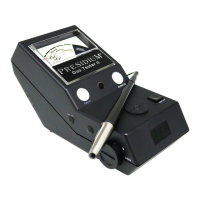
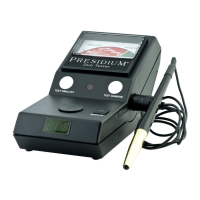
Insert the probe pen into the socket at the side of the
tester (Fig 1.2). Note that the probe pen must be inserted
into the socket before turning on the unit. Otherwise,
the indicator will rise to the green zone (Diamond) when
turned on.
1. GETTING STARTED with your Presidium Gem
Tester



 To Next Page